Logitech H390 Wired Headset PC/Laptop Stereo Headphones - Black | microphone, in-line controls, works with Chromebook Review (2026)
Updated September 21, 2026 · Research-based review
Our verdict
The Logitech H390 is an affordable wired USB headset with a boom microphone, built for calls, meetings and remote guests rather than studio recording. It works across Windows, Mac and Chromebook with simple in-line controls, but the plastic build and call-quality mic make it a budget pick, not a serious podcasting microphone.
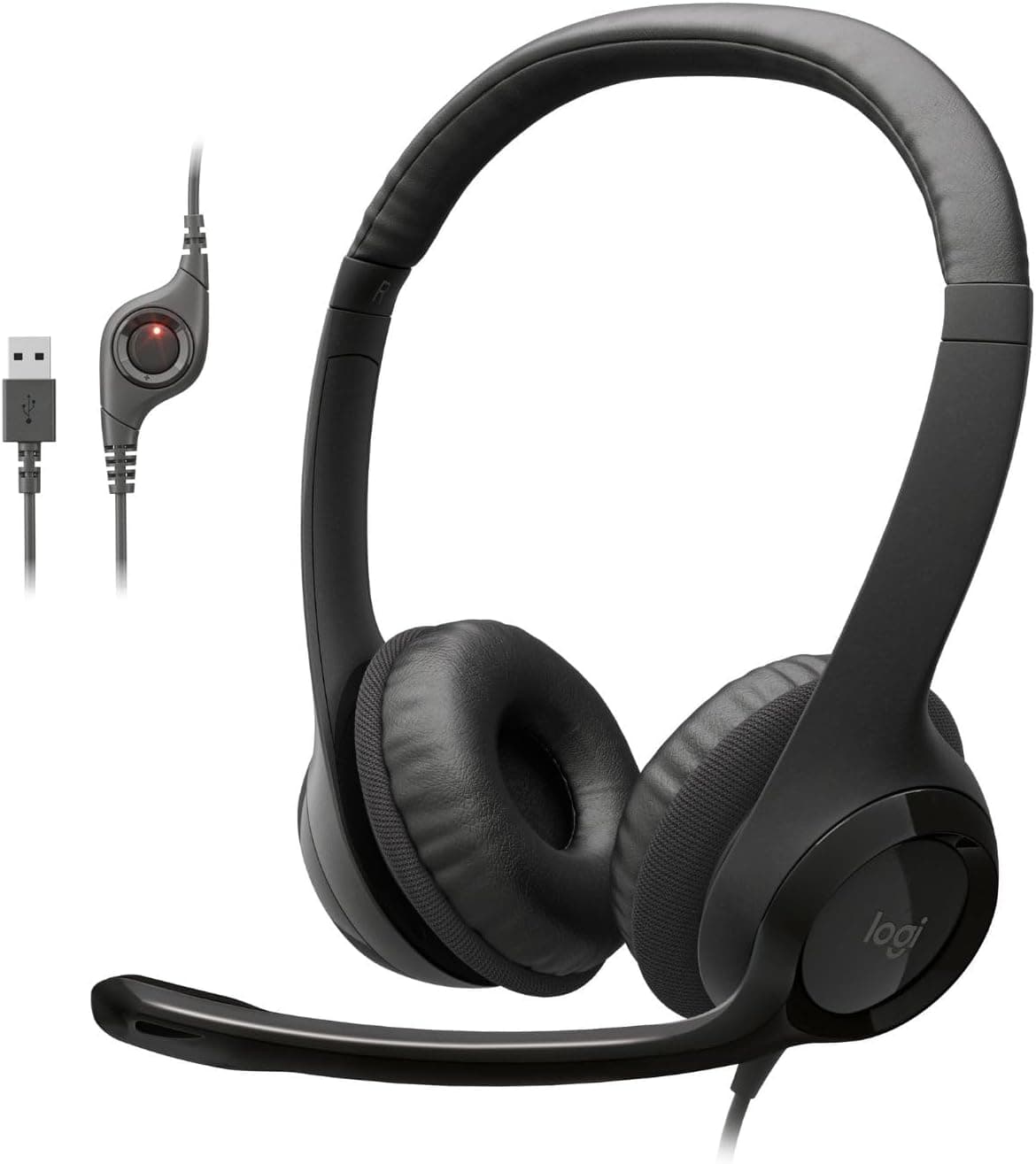
The Logitech H390 is a black wired stereo headset with microphone and in-line controls, working with PCs, laptops and Chromebook.
Price range: See on Amazon
What we liked
- + Works with Chromebook as well as Windows and Mac computers
- + In-line controls make muting and volume changes quick
- + Very affordable option for guests joining remotely
Trade-offs
- - Boom mic quality is fine for calls but not studio recording
- - Plastic build and padding wear over time with heavy use
A simple, wired USB headset
The H390 connects over USB with plug-and-play drivers built into most operating systems, and Logitech lists compatibility with Windows, Chrome OS and Mac systems as well as specific mention of Chromebook support, according to the manufacturer's specifications. That broad compatibility makes it a low-friction option for a remote co-host, guest or interview subject who needs a quick, reliable way to join a call with decent audio, without worrying about driver installation or platform-specific setup issues. For a podcast host managing guest logistics, being able to recommend a cheap, simple headset that works on almost any computer removes a common point of friction before a recording session even starts.
In-line controls for quick adjustments
Logitech built the H390 with in-line volume and mute controls on the cable, letting a wearer adjust their listening level or mute their microphone without needing to open any software or dig through system settings mid-call, based on the product specifications. The microphone boom itself can be tucked out of the way when not needed and repositioned toward the mouth for better voice pickup during a call, a design detail aimed at everyday convenience rather than studio-grade adjustability. For someone using the headset primarily for calls and meetings rather than recorded content, these small conveniences matter more day to day than raw audio fidelity.
Audio quality built for calls, not recording
Logitech lists the H390's microphone with a frequency response of 100 Hz to 10 kHz and the headphone drivers at 20 Hz to 20 kHz using 30mm drivers, according to the manufacturer's specifications, figures that reflect a headset tuned for clear speech intelligibility in calls rather than a wide, detailed frequency range suited to music or polished podcast recording. That microphone range is adequate for a guest or co-host joining a conversation where clarity matters more than tonal depth, but it will sound noticeably thinner and less full than a dedicated USB or XLR podcast microphone when directly compared. Anyone recording the primary host's voice for a show should still reach for a proper microphone rather than this headset's boom mic.
Build and comfort
The H390 uses an adjustable headband with swivel-mounted, leatherette ear cushions over a largely plastic frame, and weighs under 200 grams, according to Logitech's specifications, keeping it light for calls but built to a budget price point rather than the more rugged metal-reinforced construction found on pricier headsets. Plastic headbands and cushions in this price range are generally more prone to wear, creaking or cushion breakdown over months of daily heavy use than sturdier, more expensive alternatives, which is a reasonable trade-off to expect at this cost. For occasional or moderate daily use on calls and meetings, that lighter build is unlikely to cause problems within a normal usage lifespan.
Who should buy the H390
This headset fits anyone who needs an inexpensive, reliable way to join calls and virtual meetings with clear, intelligible speech, including remote podcast guests, co-hosts joining from home, or general video conferencing use across Windows, Mac and Chromebook computers. It is not the right choice for a podcast host looking to record their primary microphone track, since the boom mic is tuned for call clarity rather than the tonal depth a dedicated recording microphone provides. As a low-cost, universally compatible headset for calls and guest audio, though, it is a sensible, budget-friendly pick.
Frequently asked questions
Does the Logitech H390 work with a Chromebook?
Yes, Logitech specifically lists Chrome OS and Chromebook compatibility alongside Windows and Mac support for the H390.
Is the H390 good enough for recording a podcast?
It works fine for calls and remote guests, but its microphone is tuned for speech clarity in conversations rather than the tonal depth a dedicated podcast microphone offers, so it is better suited to guest audio than a host's main track.
Does the headset have volume and mute controls?
Yes, it includes in-line controls on the cable for adjusting volume and muting the microphone without needing to change software settings.
What is the H390 made of?
It uses an adjustable headband with swivel-mounted leatherette ear cushions over a mostly plastic frame, keeping the headset lightweight at under 200 grams.
Prices change often, so check the current price and availability on Amazon.
Check price on AmazonPodcast Gear Hub may earn a commission from the link above.