Buying guide
Streaming Studio Setup
Updated How we research
Build a broadcast-ready desk for live video. The page is split into four sections (Look sharp on camera; Light your face like a pro; Control the show hands-free; Bring in console or camera feeds), followed by every pick ranked by our score so you can compare them in one place.
The short version
We compared 16 picks. Our scores range from 7.0 to 9.0 out of 10.
- Best overall:Elgato Key Light, Professional 2800 Lumens Studio Light, Wi-Fi App Control, 2900-7000K. Highest overall score in this guide at 9.0/10.
- Also great value:NEEWER 25W 12.9" Streaming Key Light with Desk Stand, 2.4G Remote, USB Transmitter, GL25B. Value score of 9/10, overall 8.6/10.
- Solid build:Elgato Stream Deck MK.2 Studio Controller, 15 Macro Keys. Build and materials score of 8/10, overall 8.6/10.
- Feature-rich:Elgato Stream Deck XL Advanced Studio Controller, 32 Keys. Features score of 9/10, overall 8.4/10.
Scores are our editorial assessment, not customer ratings. How we score
Look sharp on camera
- IFWATER 1080P HDMI 4K USB Webcam for Live Streaming with 4X Optical ZoomOur score8.1/10
- 4K Webcam for PC & Mac Tiny USB Streaming Camera with PDAF AutofocusOur score7.6/10
- HZQDLN 4K Webcam 8MP with Microphone, USB Computer Web Camera for PC Laptop | 4K 25fps and 2K 30fps; 75 degree view; dual noise-cancelling mics; privacy cover and foldable tripod; plug and play.Our score7.3/10
- UHD 4K Webcam with Microphone 8MP USB Computer Camera with Privacy Shutter and TripodOur score7.3/10
Light your face like a pro
- Elgato Key Light, Professional 2800 Lumens Studio Light, Wi-Fi App Control, 2900-7000KOur score9.0/10
- NEEWER 25W 12.9" Streaming Key Light with Desk Stand, 2.4G Remote, USB Transmitter, GL25BOur score8.6/10
- 2 Packs LED Video Key Light,Streaming Light Dimmable Bi-Color 3200-5600k Video Conference Lighting with Gooseneck Tubes Desk Panel Lights for Podcast/Streaming/Gaming/Zoom Call/Broadcast/YouTubeOur score7.6/10
- UBeesize 10" Desk Ring Light with Stand, Multi-Angle Adjustable Arm with C-Clamp for Home Office, Streaming Light with Inline Control for Video Conference, Podcast, Gaming, Recording, Live StreamsOur score7.4/10
Control the show hands-free
- Elgato Stream Deck MK.2 Studio Controller, 15 Macro KeysOur score8.6/10
- Elgato Stream Deck XL Advanced Studio Controller, 32 KeysOur score8.4/10
- Elgato Stream Deck MK.2 White Studio Controller, 15 KeysOur score8.4/10
- Elgato Stream Deck MK.2 (15 Key Layout) Controller for Creating Live ContentOur score8.4/10
Bring in console or camera feeds
- 4K HDMI Capture Card USB 3.0 1080P 60FPS with HDMI Loop-OutOur score8.4/10
- UGREEN 2K@30Hz 1080P 60FPS Video Capture Card 4K Input HDMI to USB 3.0Our score8.2/10
- Video Capture Card, 4K USB3.0 HDMI to USB C, 1080P60FPS HDMI Capture Card for Streaming, Gaming, Video Recording Compatible with Switch, Xbox, PS4/5, OBS,iPad Mac OS Windows,Camera, Zoom(Silver)Our score7.2/10
- 4K Video Capture Card HDMI to USB 2.0 Cam Link Record DeviceOur score7.0/10
All 16 picks, ranked by our score
Every product from the sections above, listed once. Sort by the criterion you care about most, or tick up to three to compare.
 #1
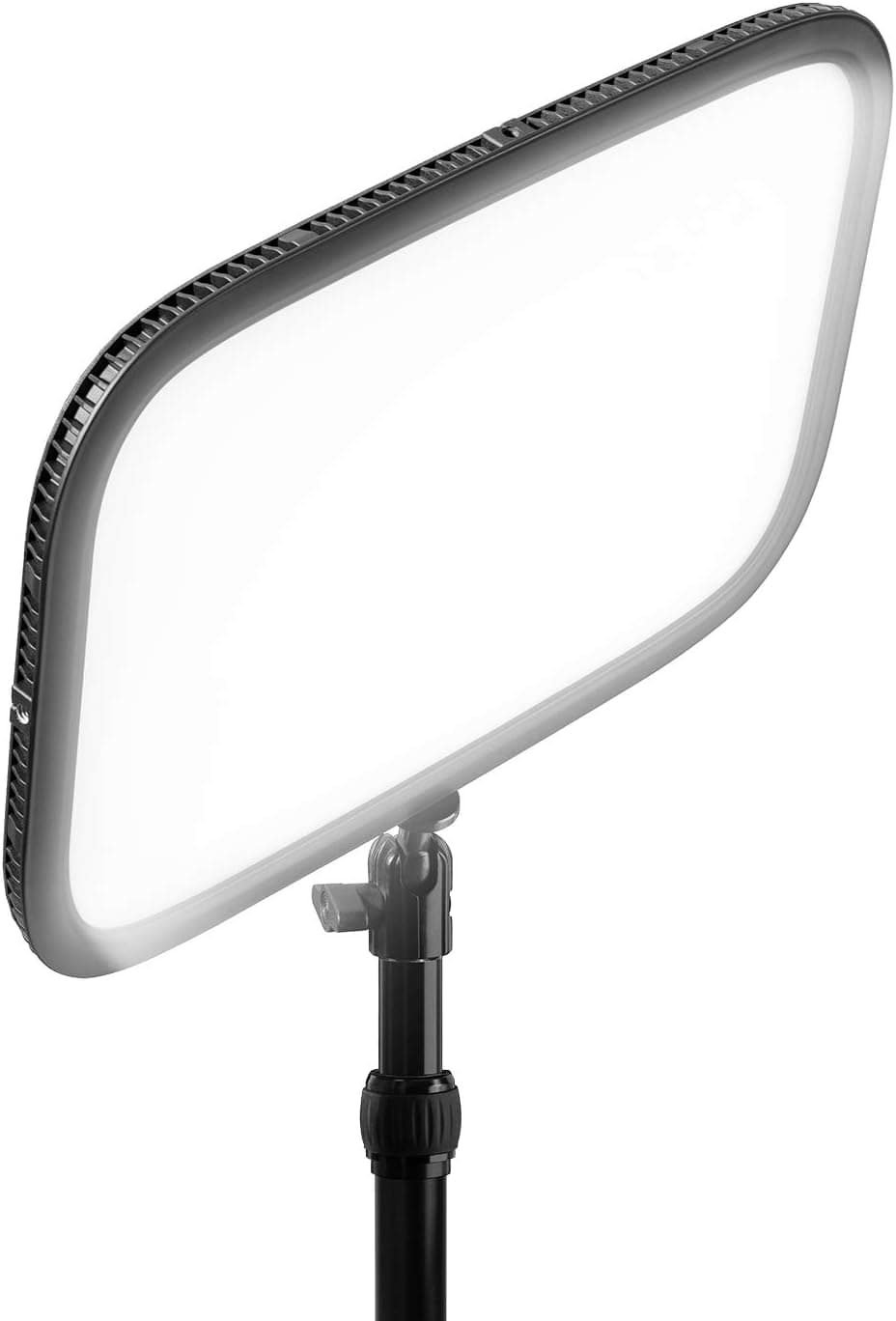
#1Elgato's Key Light is a professional 2800 Lumens studio light with Wi-Fi app control and 2900-7000K color, built for streamers.
Fit for the job 10/10 · Features and specs 9/10 · Build and materials 9/10 · Value 7/10
- + 2800 Lumens output lights a host brightly even in darker rooms
- + Wi-Fi app control adjusts brightness and color from the computer
- + 2900-7000K range tunes the look from warm to cool daylight
- - Wi-Fi setup can be fiddly on busy or congested home networks
- - Premium price compared with remote-controlled budget key lights
 #2
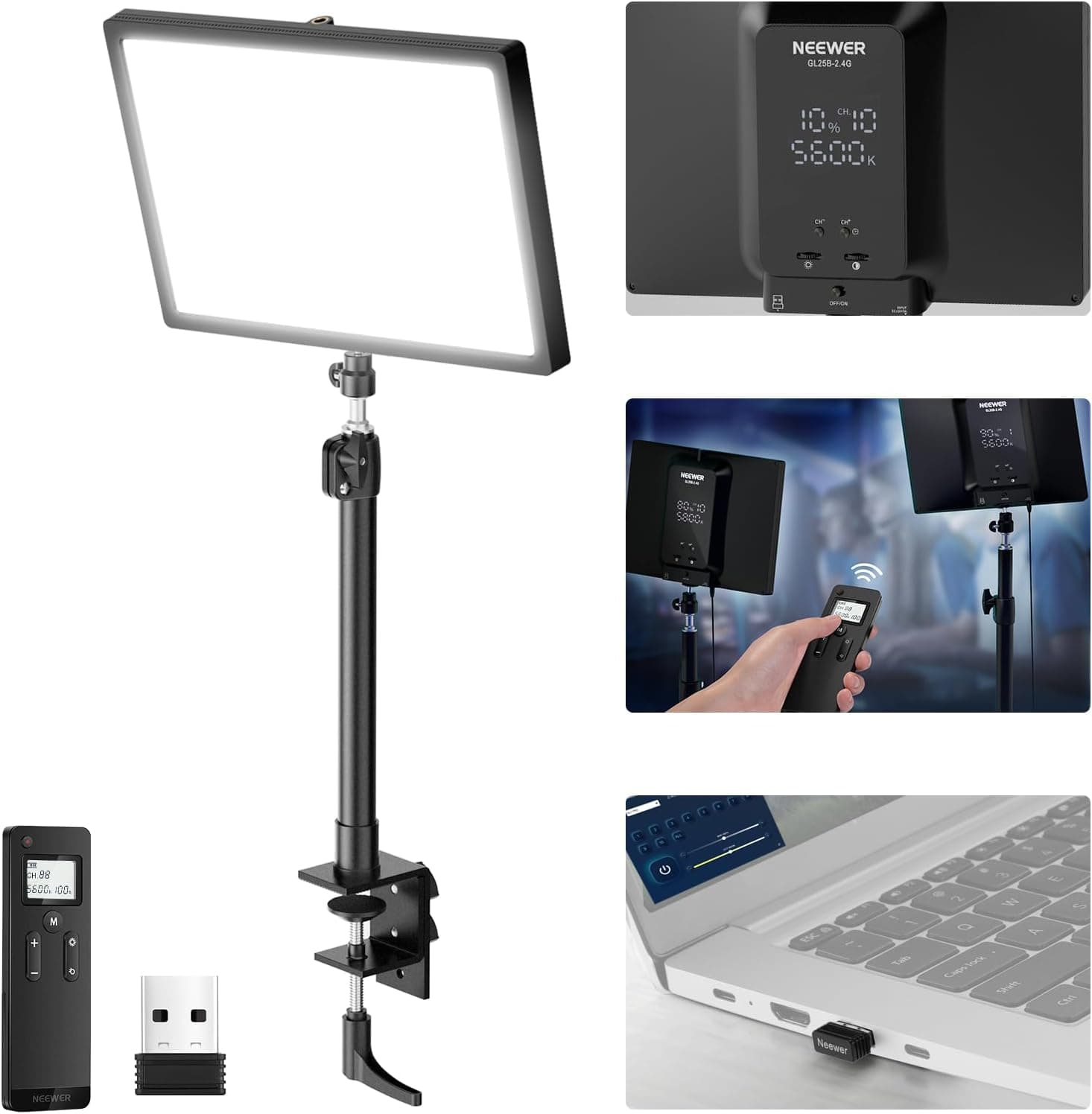
#2NEEWER's GL25B is a 25W 12.9" streaming key light with a desk stand, 2.4G remote and USB transmitter for face lighting on camera.
Fit for the job 9/10 · Features and specs 9/10 · Build and materials 7/10 · Value 9/10
- + 25W panel gives soft, even face light for video podcasts and calls
- + 2.4G remote with USB transmitter adjusts brightness without leaving your seat
- + Desk stand is included, so it sets up right beside your monitor
- - Desk stand height may be limited for hosts who record standing
- - Single light often needs a second fill light to avoid harsh shadows
 #3
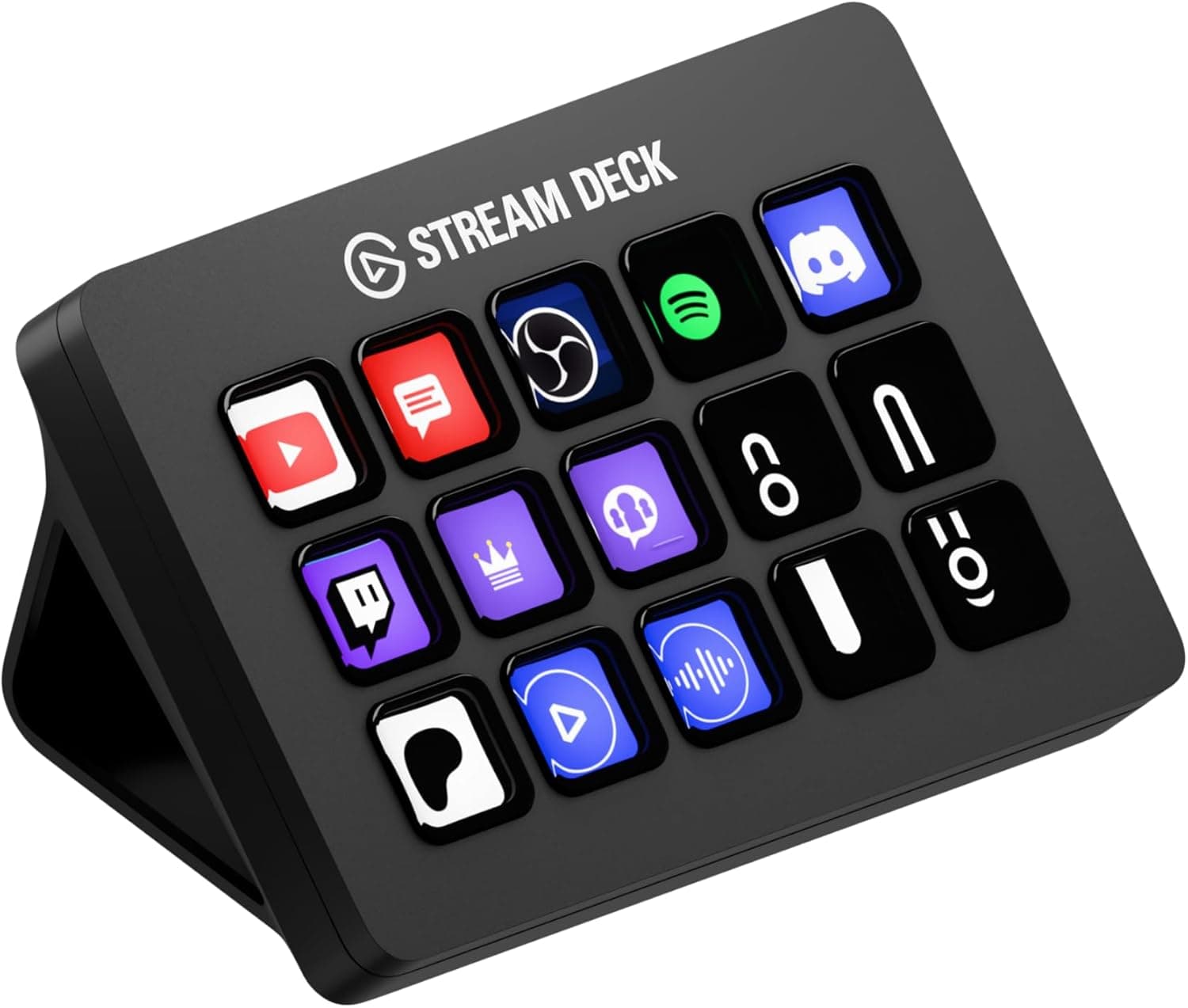
#3The Elgato Stream Deck MK.2 is a studio controller with 15 macro keys, the standard size for streaming and podcast shortcuts.
Fit for the job 9/10 · Features and specs 8/10 · Build and materials 8/10 · Value 9/10
- + 15 Macro Keys cover most scene, audio and recording shortcuts
- + Detachable stand and cable make placement flexible
- + Huge plugin support for OBS, audio apps and more
- - Serious users may run out of keys and need folders
- - Relies on software, so it cannot work standalone
 #4
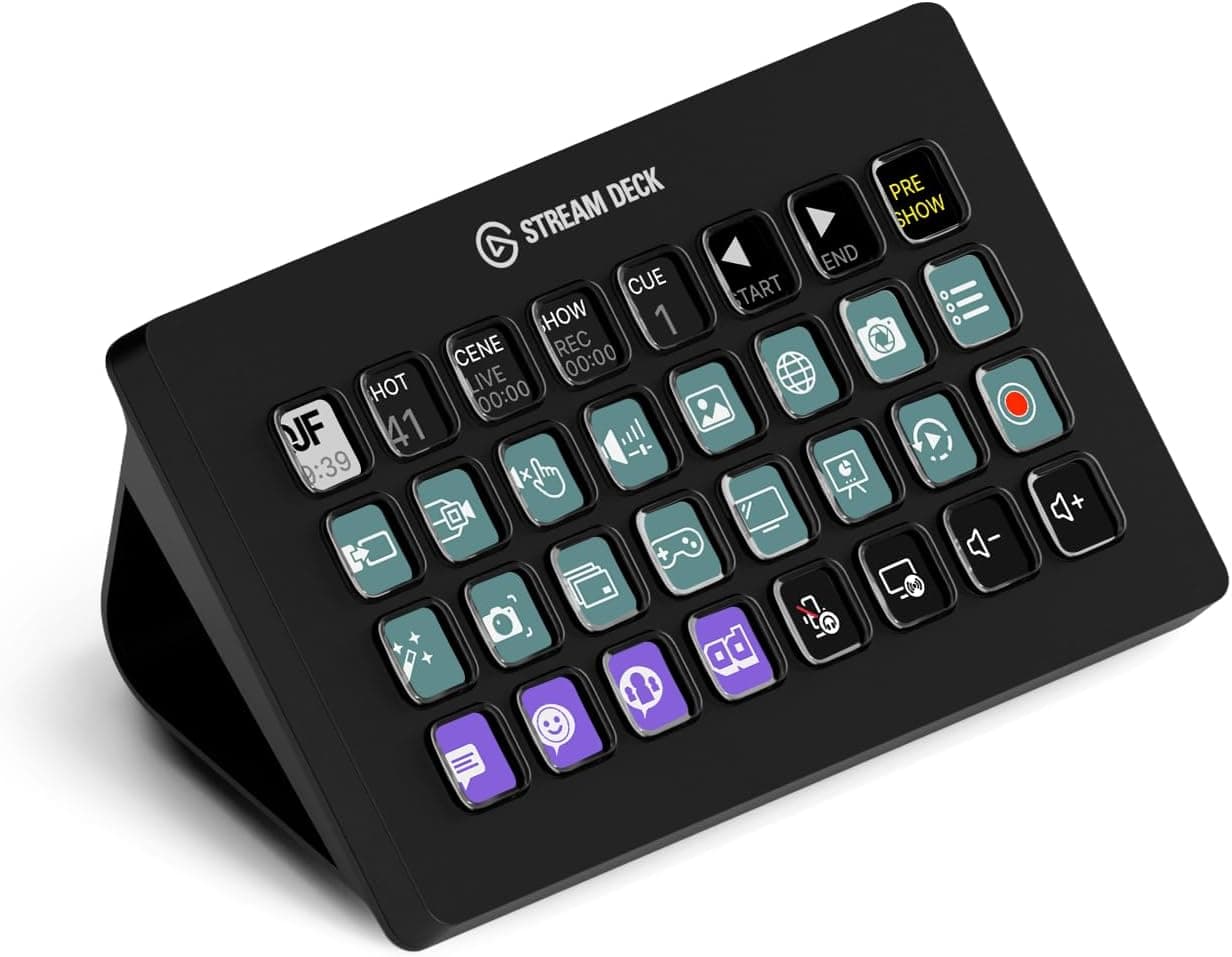
#4Elgato's Stream Deck XL is an advanced studio controller with 32 keys for complex streaming and podcast workflows.
Fit for the job 9/10 · Features and specs 9/10 · Build and materials 8/10 · Value 7/10
- + 32 Keys give room for scenes, sounds, mute and recording shortcuts
- + LCD keys show custom icons so every action is easy to spot
- + Folders and profiles let heavy users organize many macros
- - Large size and price are overkill for simple solo podcasts
- - Needs Elgato software running on a computer to work
 #5
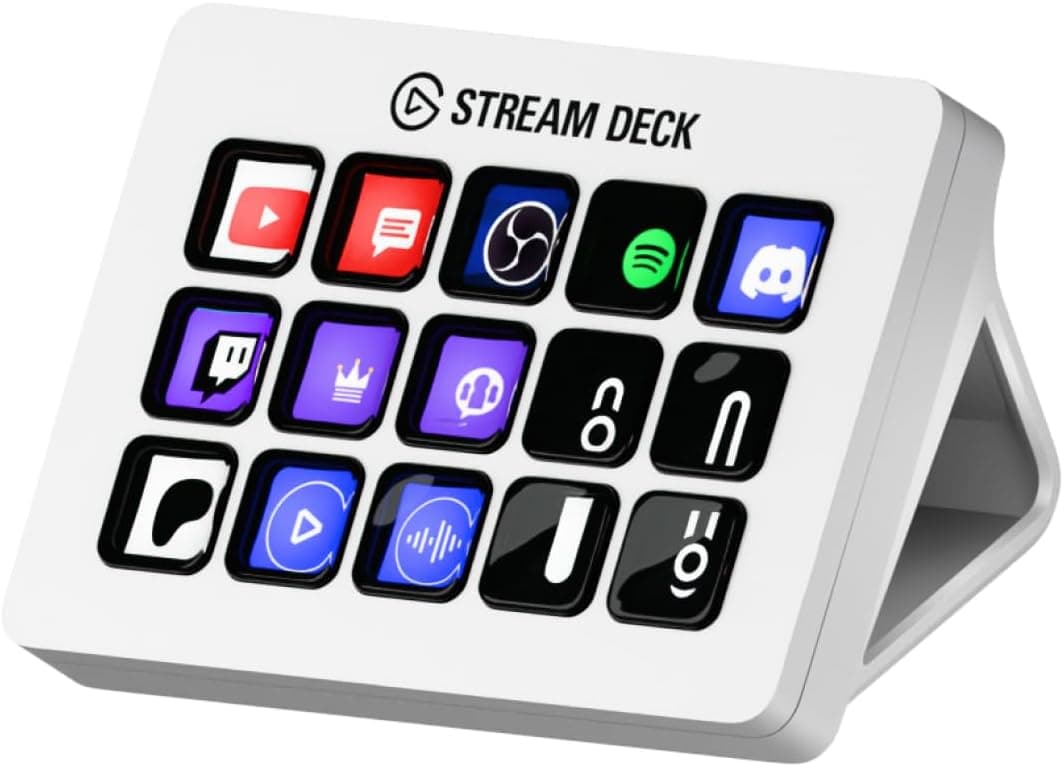
#5The white Elgato Stream Deck MK.2 studio controller has 15 keys, matching light-themed streaming setups.
Fit for the job 9/10 · Features and specs 8/10 · Build and materials 8/10 · Value 8/10
- + White finish matches bright desks and white Elgato gear
- + 15 Keys give plenty of shortcuts for podcasts and streams
- + Customizable LCD icons keep controls clear during shows
- - White finish can show fingerprints and smudges
- - Same features as the black version, often at a higher price
 #6
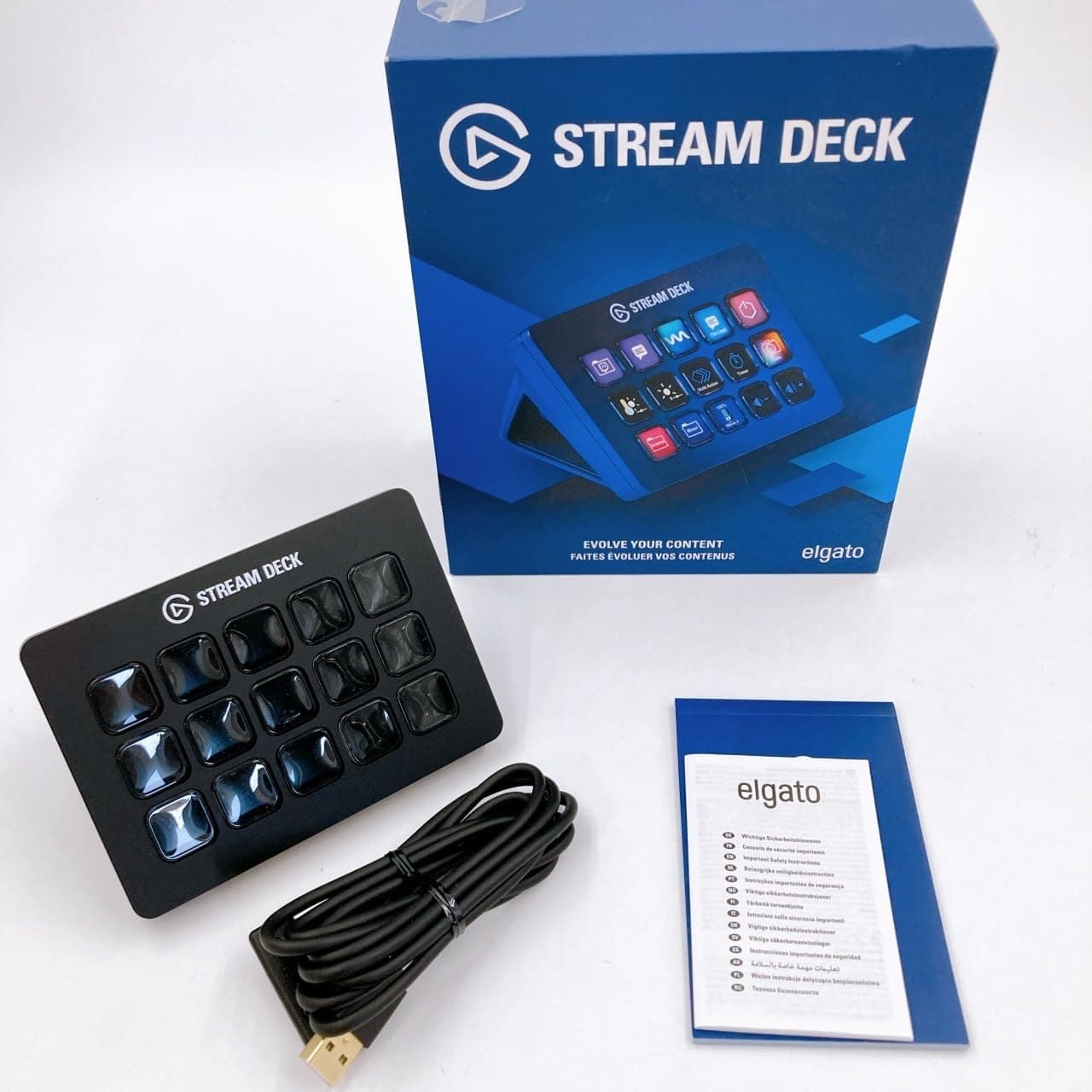
#6This Elgato Stream Deck MK.2 in the 15 key layout is a controller for creating live content with one-tap actions.
Fit for the job 9/10 · Features and specs 8/10 · Build and materials 8/10 · Value 8/10
- + 15 Key Layout balances desk size with enough shortcuts
- + One-tap actions start recordings, play sounds and switch scenes
- + Integrates with major streaming and podcast tools
- - Listing is similar to other MK.2 versions, so compare prices
- - Computer software is required for all functions
 #7
#7A 4K HDMI capture card with USB 3.0, 1080P 60FPS recording and HDMI loop-out for streaming from cameras or consoles.
Fit for the job 9/10 · Features and specs 8/10 · Build and materials 7/10 · Value 9/10
- + HDMI loop-out lets you monitor the source while capturing
- + USB 3.0 supports smooth 1080P 60FPS recording
- + Works with cameras and consoles for streaming setups
- - Accepts 4K input but records at 1080P, not full 4K
- - Generic listing offers limited driver or software support
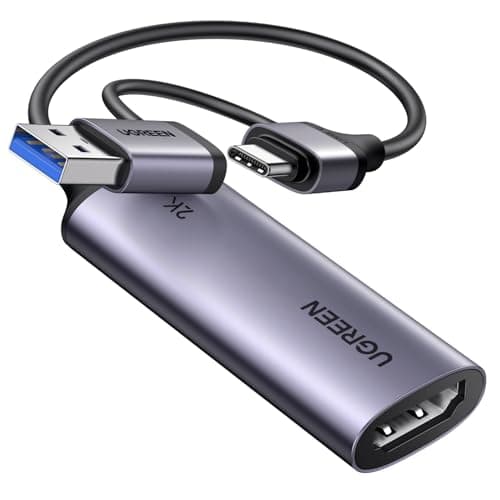 #8
#8UGREEN's HDMI to USB 3.0 capture card accepts a 4K 30Hz input and captures at 1080p 60fps or 2K 30fps, with both USB-A and USB-C connections and an aluminum alloy casing.
Fit for the job 8/10 · Features and specs 8/10 · Build and materials 8/10 · Value 9/10
- + Captures 1080p at 60fps or 2K at 30fps from a 4K 30Hz HDMI input over 5 Gbps USB 3.0 for low delay.
- + USB-A and USB-C connections cover laptops, desktops, tablets and phones without an adapter.
- + Driver-free on Windows, macOS and Linux and works with OBS, so an HDMI source shows up as a video device.
- - No HDMI loop-out is listed, so the signal cannot be passed on to a separate monitor while capturing.
- - 4K applies to the input only: capture tops out at 2K 30fps, and consoles need HDCP disabled.
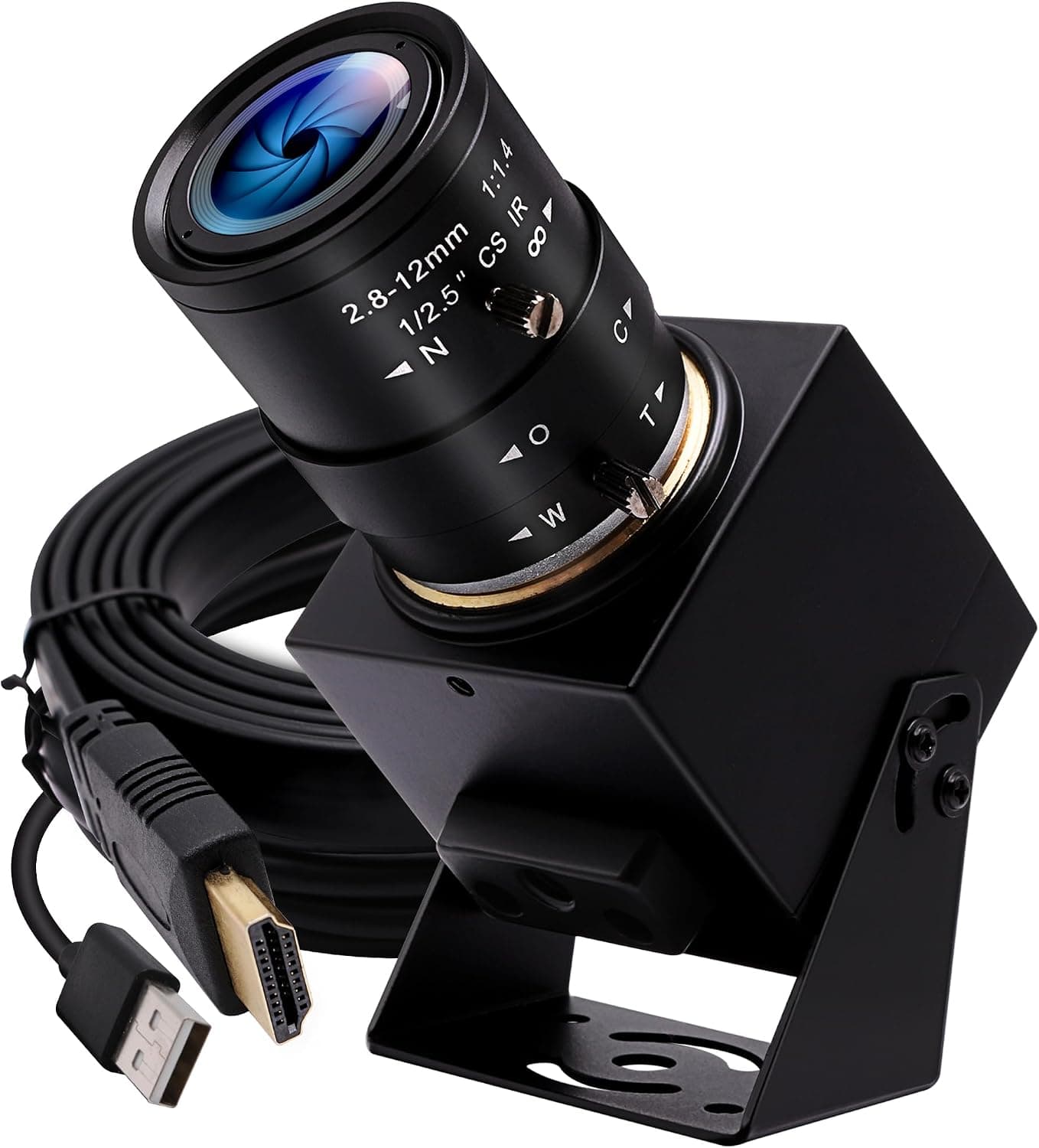 #9
#9IFWATER's 4K USB webcam also has 1080P HDMI output and 4X optical zoom, a flexible camera for live streaming setups.
Fit for the job 8/10 · Features and specs 9/10 · Build and materials 7/10 · Value 8/10
- + 4X optical zoom frames hosts tightly without losing detail
- + HDMI output connects to capture cards and video switchers
- + USB mode allows simple plug-in use on computers
- - Larger and pricier than typical plug-in webcams
- - Lesser-known brand with limited software support
 #10
#10A tiny 4K USB streaming webcam for PC and Mac with PDAF autofocus, a compact camera for sharp desk video.
Fit for the job 8/10 · Features and specs 8/10 · Build and materials 6/10 · Value 8/10
- + PDAF autofocus keeps the host sharp when they lean or move
- + Tiny body sits discreetly on top of a monitor
- + Works with PC and Mac without complicated setup
- - Small sensor struggles more in low light than larger cameras
- - Generic listing gives few details on software controls
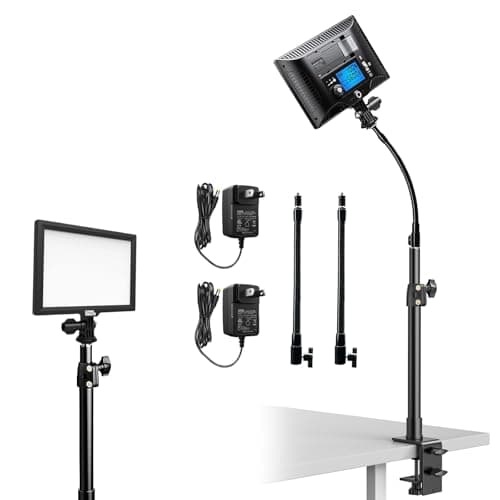 #11
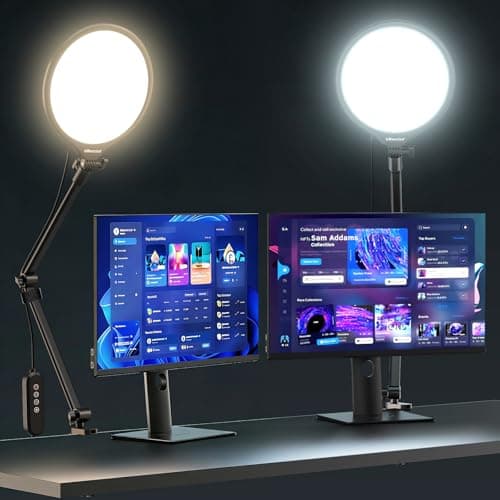
#11A pair of bi-color 3200-5600K edge-lit LED panels on gooseneck tubes and metal C-clamp desk stands, a two-light key and fill setup for podcast and streaming desks.
Fit for the job 8/10 · Features and specs 8/10 · Build and materials 7/10 · Value 7/10
- + Two lights in one box, so you can run a key and a fill light from the same desk without buying a second unit
- + Metal C-clamp fits desks 0.3 to 3.3 inches thick and gives 12.2 to 21.3 inches of height without a floor stand
- + LCD readout shows brightness and color temperature, and the panel remembers your last setting between sessions
- - Color range stops at 3200-5600K, so there is no RGB accent lighting like the full-color panels in this guide
- - At around $100 for the pair it costs more than budget single desk lights, and PIXEL is a less known brand
 #12
#12UBeesize's current 10-inch desk ring light clamps to the desk on a multi-angle arm, with 3 color modes and 10 brightness levels for a simple face light on calls and streams.
Fit for the job 7/10 · Features and specs 7/10 · Build and materials 7/10 · Value 9/10
- + Side-lit design spreads light softly across the face, with 10 brightness levels and 3 color modes listed
- + AC power is stated to hold a steady 2000-2400 lm output instead of dimming like weak USB-powered lights
- + Metal C-clamp for desks up to 2.5 inches thick, 360 degree rotation and a telescoping stand up to 13 inches
- - Only 3 preset color modes rather than stepless color temperature, so fine-tuning white balance is limited
- - A 10-inch ring is a small source, best for one person close to the camera rather than lighting a whole set
 #13
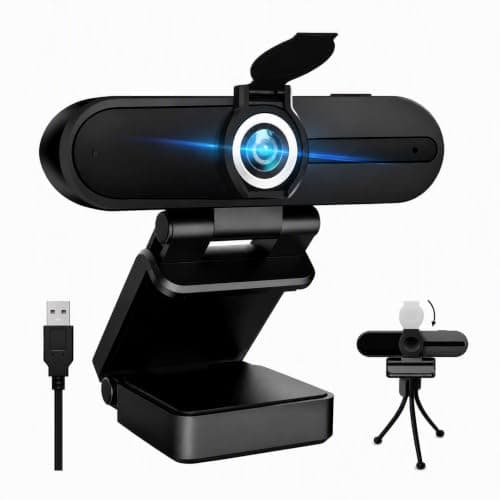
#13HZQDLN 4K webcam with an 8MP sensor, dual noise-cancelling microphones, a privacy cover and a foldable tripod included.
Fit for the job 7/10 · Features and specs 8/10 · Build and materials 6/10 · Value 8/10
- + Records 4K at 25fps or 2K at 30fps according to the listing.
- + Two noise-cancelling microphones, a privacy cover and a tripod are all included.
- + Plug and play with Windows, macOS, Linux and Chrome OS, and works with OBS, Zoom and Teams.
- - 4K runs at only 25fps, so motion looks less smooth than 30fps modes.
- - Little-known brand, and a narrow 75 degree view will not fit several people on camera.
 #14
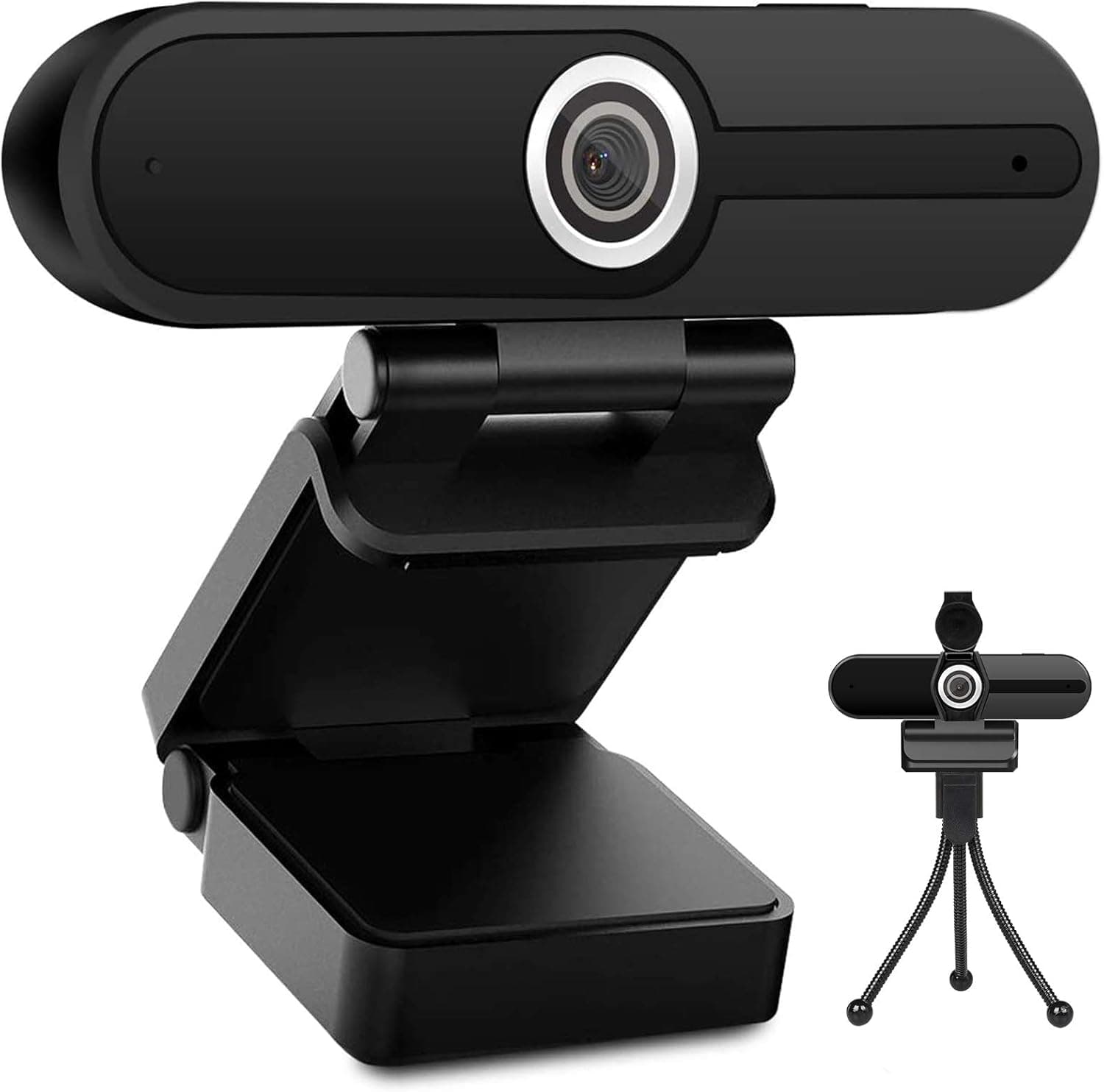
#14A UHD 4K 8MP USB computer camera with microphone, privacy shutter and tripod, a budget webcam with a full accessory set.
Fit for the job 7/10 · Features and specs 8/10 · Build and materials 6/10 · Value 8/10
- + Privacy shutter gives peace of mind when the camera is idle
- + Tripod lets you position the camera at eye level
- + 8MP resolution offers room to crop in during editing
- - Auto exposure on budget webcams can shift in changing light
- - Built-in mic is not suited to recording podcast audio
 #15
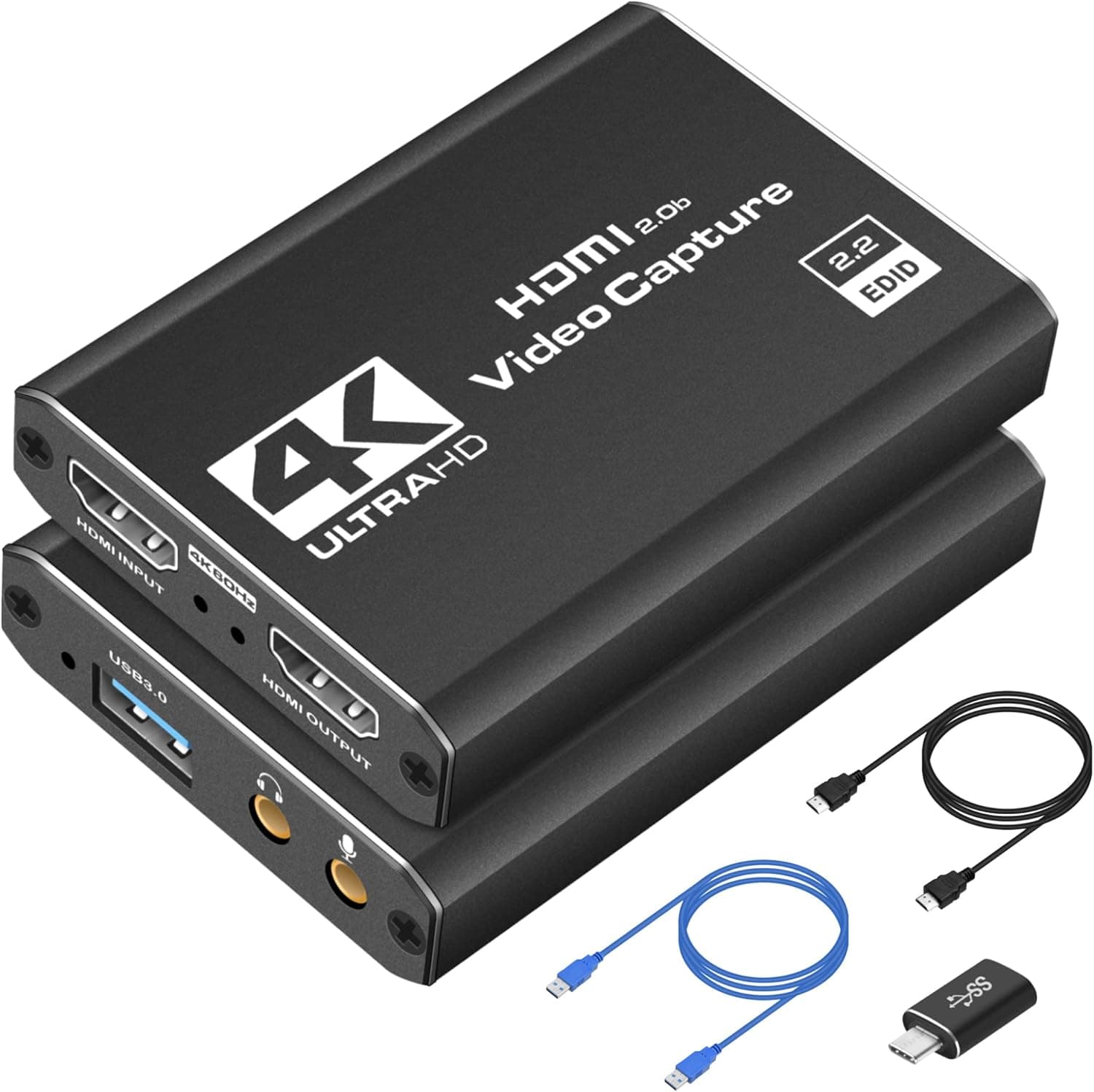
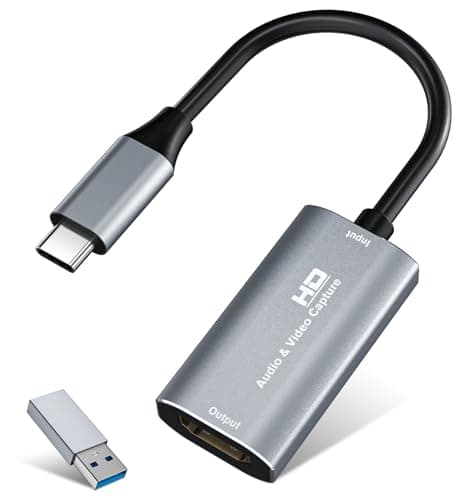
#15VIXLW HDMI capture card with 4K input, USB 3.0 or USB-C connection and aluminum shell, to bring a camera or console into streaming software.
Fit for the job 7/10 · Features and specs 7/10 · Build and materials 7/10 · Value 8/10
- + Accepts 4K at 30Hz HDMI input and records 2K at 30Hz or 1080p at 60Hz.
- + Plug and play with no driver or external power, works with OBS, Zoom and VLC on Windows, macOS and Linux.
- + Comes with a USB 3.0 to USB-C adapter and an aluminum alloy shell for heat dissipation.
- - Little-known brand, so support and long-term driver behavior are unproven.
- - Recording tops out at 2K/30 or 1080p/60, not full 4K capture.
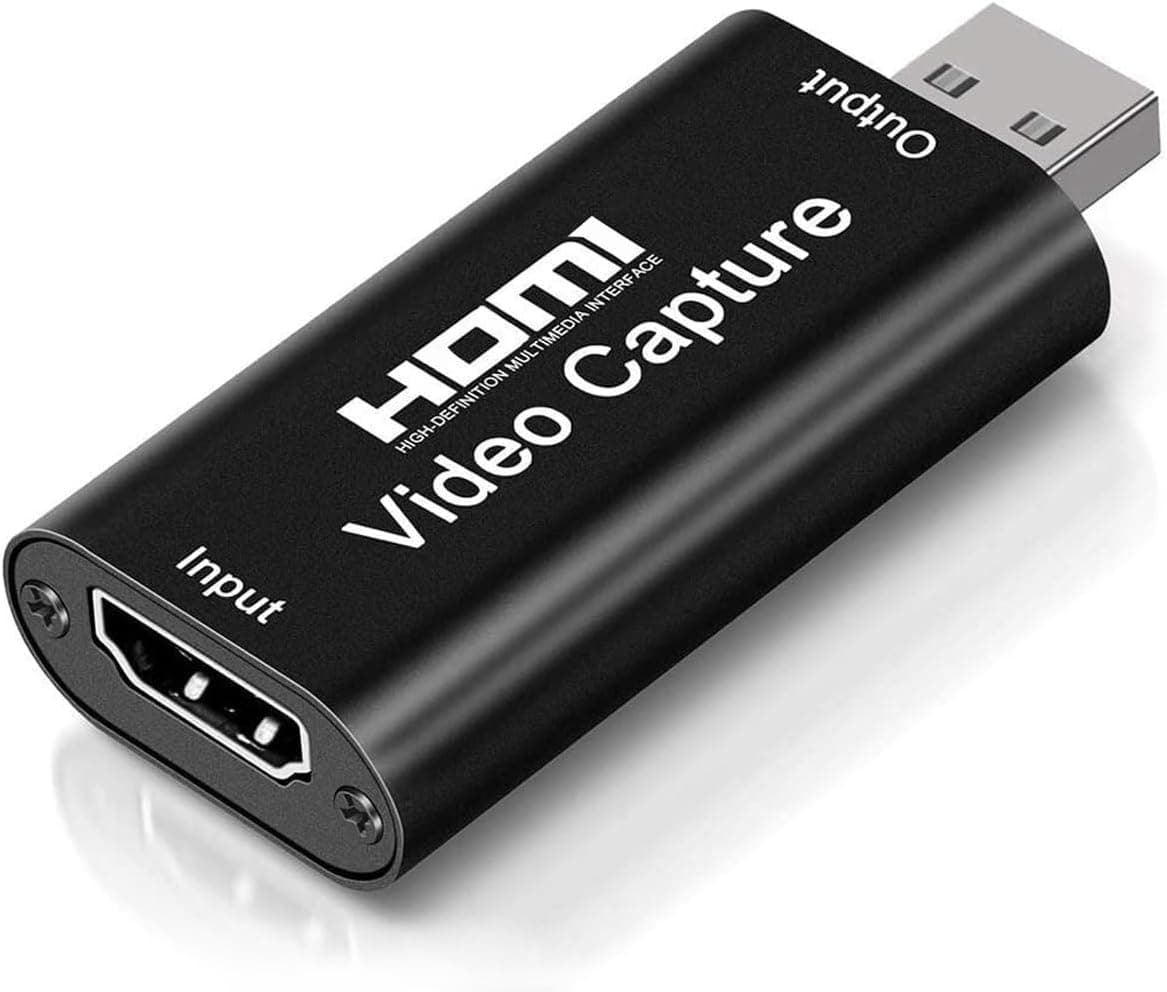 #16
#16A 4K video capture card HDMI to USB 2.0 cam link record device, a tiny, cheap way to use a camera as a webcam.
Fit for the job 7/10 · Features and specs 6/10 · Build and materials 6/10 · Value 9/10
- + Tiny dongle turns HDMI cameras into USB webcams
- + Very low cost for adding camera video to streams
- + Plug-and-play design needs no drivers on most systems
- - USB 2.0 limits frame rate and quality compared with faster capture cards
- - Can run hot during long streaming sessions
Popular right now
- Best Microphone Isolation ShieldsBuying guide
- Best Acoustic DiffusersBuying guide
- Best XLR MicrophonesBuying guide
- Gain Staging BasicsArticle
- Best LED Video LightsBuying guide
- Best Digital RecordersBuying guide
Based on the last 28 days of search and visitor data.
Podcast Gear Hub curates picks for US shoppers. Scores are our editorial assessment. We may earn a commission from links on this page.