4K Video Capture Card HDMI to USB 2.0 Cam Link Record Device Review (2026)
Updated September 21, 2026 · Research-based review
Our verdict
This HDMI to USB 2.0 capture card is a low-cost way to turn a camcorder or DSLR into a webcam for OBS, Zoom or Twitch. It fits casual streamers and video callers on a tight budget, but the USB 2.0 connection caps frame rate and image quality well below faster USB 3.0 capture cards.
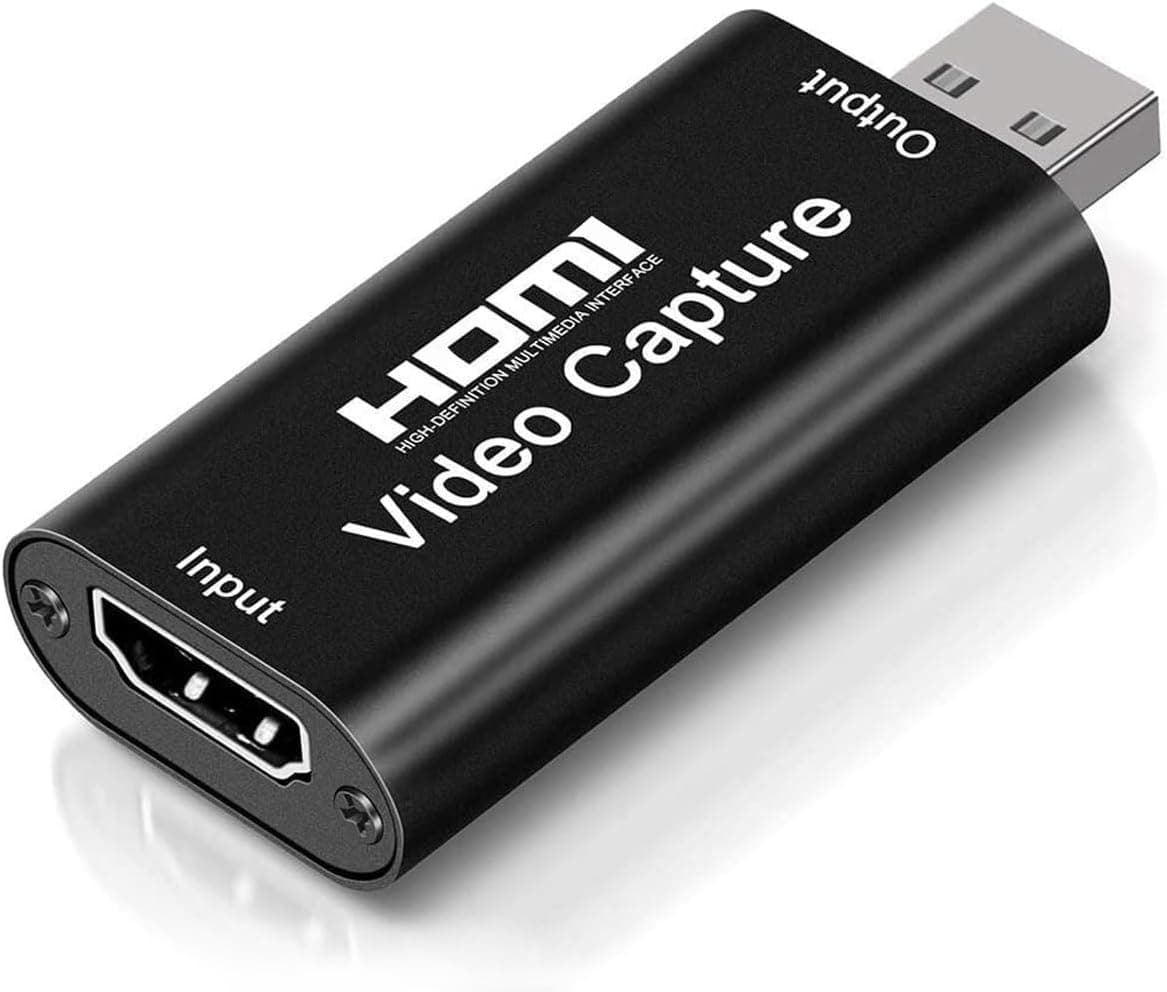
A 4K video capture card HDMI to USB 2.0 cam link record device, a tiny, cheap way to use a camera as a webcam.
Price range: See on Amazon
What we liked
- + Tiny dongle turns HDMI cameras into USB webcams
- + Very low cost for adding camera video to streams
- + Plug-and-play design needs no drivers on most systems
Trade-offs
- - USB 2.0 limits frame rate and quality compared with faster capture cards
- - Can run hot during long streaming sessions
What this capture card does
This is a small HDMI to USB 2.0 dongle built to pull video and audio out of an HDMI source, such as a camcorder, DSLR or gaming console, and hand it to a computer as a plain webcam feed. It plugs into a laptop or desktop over USB and shows up in software like OBS Studio, Zoom, Twitch, YouTube and VLC without a separate driver install on most systems, based on the listing and product description. That plug-and-play behavior is the whole appeal here: instead of buying a dedicated webcam, a podcaster or streamer who already owns a decent HDMI camera can repurpose it for video calls or live streams with one small adapter, provided the camera supports a clean HDMI output feed alongside its own screen.
Resolution and frame rate limits
The card accepts a 4K HDMI input signal, but the bottleneck is the USB 2.0 output connection, which does not have the bandwidth to pass a full 4K or even 1080p60 feed through to the computer. In practice that means the captured stream is compressed down to lower frame rates or resolution compared with USB 3.0 capture cards built for the same job. For a podcast video feed, a webcam replacement in meetings, or casual game capture at modest settings, that ceiling is rarely a problem. Anyone planning to record fast motion, multiple camera angles, or high-bitrate gameplay footage will notice the difference quickly and should budget for a USB 3.0 card instead, since the interface itself is the limiting factor, not just the sensor behind it.
Setup and compatibility
Because it needs no drivers on most systems, setup is generally limited to connecting the HDMI source, plugging the USB end into a computer, and selecting the device as a camera source inside streaming or calling software. The listing lists compatibility with Windows, macOS, Android and Linux machines, and the card is positioned for streaming, live broadcasting, video conferencing, teaching and gaming use cases. Anyone using it with a mirrorless camera or camcorder should confirm that camera has a clean, uninterrupted HDMI output mode, since some consumer cameras overlay menus or shut off HDMI after a set time, which would defeat the purpose of using it as a webcam replacement for long recording or streaming sessions.
Build and heat
This is a compact dongle rather than a full-size card, which keeps it easy to pack in a bag alongside a camera and a couple of cables, but that small housing also means less room to dissipate heat. Users report the unit running warm during extended streaming sessions, which is common for capture dongles in this price bracket and is one of the trade-offs against bulkier USB 3.0 capture cards with metal housings and better airflow. For short calls, occasional streams or teaching sessions, this is unlikely to cause issues, but anyone planning multi-hour daily streams should keep an eye on the unit and make sure it has some airflow around it rather than being wedged against other gear.
Who should buy it
This capture card fits a specific, narrow need: someone who already has an HDMI camera and wants the cheapest possible way to feed it into a computer for calls, teaching or casual streaming, without caring about squeezing out the highest possible frame rate. It is not the right choice for anyone chasing smooth 1080p60 or 4K capture, multi-camera streaming setups, or professional broadcast quality, where a USB 3.0 capture card is the better investment despite the higher price. For podcasters mainly focused on audio who just want a basic video feed of themselves or a guest, though, this dongle covers the job at a fraction of the cost of dedicated capture hardware.
Frequently asked questions
Can this capture card handle 4K video?
It accepts a 4K HDMI input, but the USB 2.0 connection to the computer limits the actual captured output, so it is best treated as a 1080p or lower capture solution rather than a true 4K capture device.
Do I need to install drivers?
The listing describes it as plug-and-play on most systems, so it should be recognized as a standard video device without a separate driver download, though checking your operating system's camera settings after plugging in is still worth doing.
Will it work with my DSLR or camcorder?
It works with any camera that has a clean HDMI output, but some consumer cameras add on-screen menus to their HDMI feed or cut the signal after a timer, so confirm your camera supports uninterrupted HDMI output first.
Is it good for fast-paced gaming capture?
Not ideally. The USB 2.0 bandwidth limits frame rate and quality more than a USB 3.0 capture card would, so competitive or fast-motion gameplay capture will look better on a faster card.
Prices change often, so check the current price and availability on Amazon.
Check price on AmazonPodcast Gear Hub may earn a commission from the link above.