4K HDMI Capture Card USB 3.0 1080P 60FPS with HDMI Loop-Out Review (2026)
Updated September 14, 2026 · Research-based review
Our verdict
This budget HDMI capture card suits streamers and video podcasters who want to pull a camera or console feed into a laptop over USB 3.0 without a name-brand price tag. It records at 1080P 60FPS with HDMI loop-out for a monitor, but it accepts 4K input without recording in 4K and offers little brand support if something goes wrong.
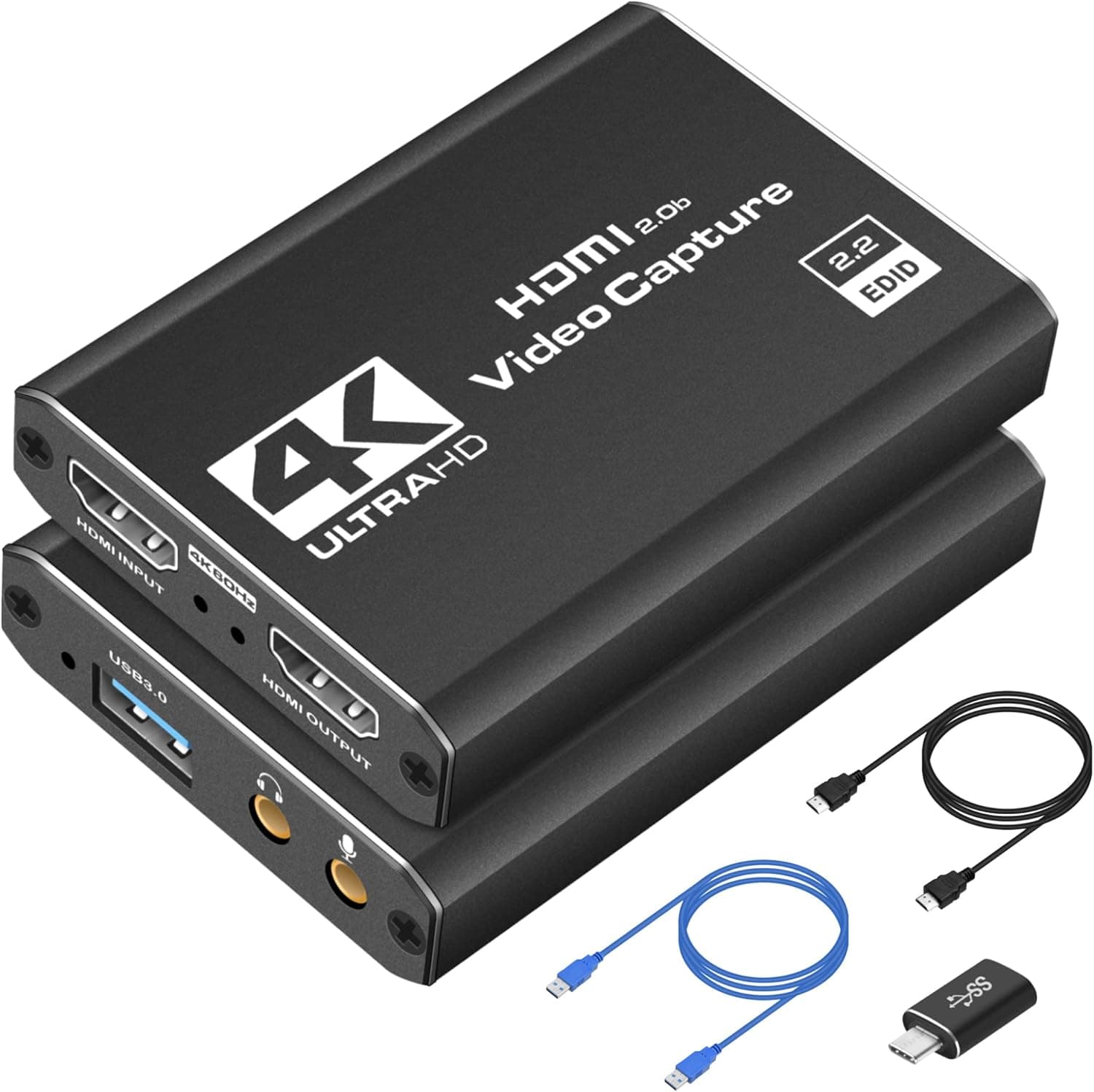
A 4K HDMI capture card with USB 3.0, 1080P 60FPS recording and HDMI loop-out for streaming from cameras or consoles.
Price range: See on Amazon
What we liked
- + HDMI loop-out lets you monitor the source while capturing
- + USB 3.0 supports smooth 1080P 60FPS recording
- + Works with cameras and consoles for streaming setups
Trade-offs
- - Accepts 4K input but records at 1080P, not full 4K
- - Generic listing offers limited driver or software support
Who this capture card is built for
This is a budget-tier HDMI capture card aimed at podcasters and streamers who want to bring a camera, game console or second camera feed into OBS, Zoom or similar software on a laptop or desktop. It suits anyone building a simple two-camera podcast setup, a gaming commentary channel, or a hybrid stream that mixes a DSLR or mirrorless camera with screen capture, without paying for a premium capture card from an established video brand. It is a poor fit for anyone who specifically needs true 4K recording, professional color accuracy or dedicated software and driver support, since this is a generic device sold primarily on price rather than brand backing. Podcasters who already own a proper capture card from a known manufacturer will not gain much by switching to this one.
Key specs and design explained in plain English
The card accepts an HDMI input up to 4K and connects to a computer over USB 3.0, but it records and streams that source at 1080P 60FPS rather than passing through in full 4K resolution, a common trade-off on capture cards in this price range. An HDMI loop-out port passes the incoming signal to a separate monitor or TV, letting a host, guest or camera operator see the live picture while the card captures a copy for OBS or another program. It works with cameras, PlayStation, Xbox, Nintendo Switch and PC sources, and is designed to be plug and play without a dedicated driver install on most systems, which keeps setup simple for anyone unfamiliar with capture hardware. Audio typically passes through the same HDMI connection alongside video, avoiding a separate audio cable for most sources.
Living with it day to day
Setup is straightforward: connect the HDMI source into the card, plug the card into a USB 3.0 port, and select it as a video source inside OBS, Zoom or similar software, with the loop-out port feeding a monitor for live framing. For a two-camera podcast, this means one host can watch a live preview on a second screen while the software records or streams the feed captured through the card. Because it is a generic, unbranded product, documentation and troubleshooting support are limited compared with cards from established capture brands, so users who run into driver conflicts or software recognition issues are largely on their own or relying on community forums. Keeping the USB 3.0 connection direct into the computer rather than through a hub or dock tends to reduce dropped frames during longer recording sessions.
Honest trade-offs against other budget capture cards
Compared with other similarly priced 4K-input capture cards on the market, this one holds its own on the basics, HDMI loop-out, USB 3.0 connectivity and 1080P 60FPS recording, without clearly standing out on build quality or bundled software. None of the cards in this generic tier record true 4K despite accepting a 4K source, so buyers chasing native 4K footage need a higher-tier capture device regardless of which budget brand they pick. The main differentiators between these generic cards tend to be small details like cable length, casing durability and whether the seller offers any real customer support, rather than performance, so shoppers should not expect a meaningfully different result from switching between similarly specified budget options.
Verdict and who should choose differently
With our score of 8.4 out of 10, this capture card is a reasonable pick for podcasters and streamers on a budget who need a working HDMI-to-USB bridge with a monitor loop-out and are comfortable with 1080P output rather than true 4K. It fits well into a simple two-camera or console-plus-webcam setup where cost matters more than brand support. Anyone recording professionally in 4K, or who wants responsive customer support and detailed documentation, should look at a capture card from an established video brand instead, since the savings here come with real trade-offs in resolution ceiling and after-sale help.
Frequently asked questions
Does this capture card record in 4K?
No. It accepts a 4K HDMI input but records and streams at 1080P 60FPS, so treat the 4K spec as an input capability, not an output resolution.
Do I need a driver to use this capture card?
It is designed to work as a plug and play UVC device on most systems, so a separate driver install usually is not required, though results can vary by operating system.
What does the HDMI loop-out port do?
It passes the incoming HDMI signal through to a second monitor or TV so you can watch a live preview while the card sends a captured copy to your recording or streaming software.
Will this work with a game console and a camera?
Yes, it is designed to accept HDMI from cameras as well as PlayStation, Xbox and Nintendo Switch consoles, making it usable for both podcast video and gaming capture.
Prices change often, so check the current price and availability on Amazon.
Check price on AmazonPodcast Gear Hub may earn a commission from the link above.