MOUNTUP Single Monitor Desk Mount Holds Screen up to 32 inch, Height Adjustable Monitor Arm, Full Motion Computer Monitors Stand with Clamp/Grommet Base, VESA Mounts Fit 4.4-17.6lbs, Black Review (2026)
Updated September 20, 2026 · Research-based review
Our verdict
MOUNTUP's single monitor arm holds screens from 17 to 32 inches and 4.4 to 17.6 pounds, with full 360-degree rotation and a choice of clamp or grommet base for most desk edges. It fits podcast and editing desks that need the monitor swung out of the way of mic arms, though heavier large displays fall outside its rated weight range.
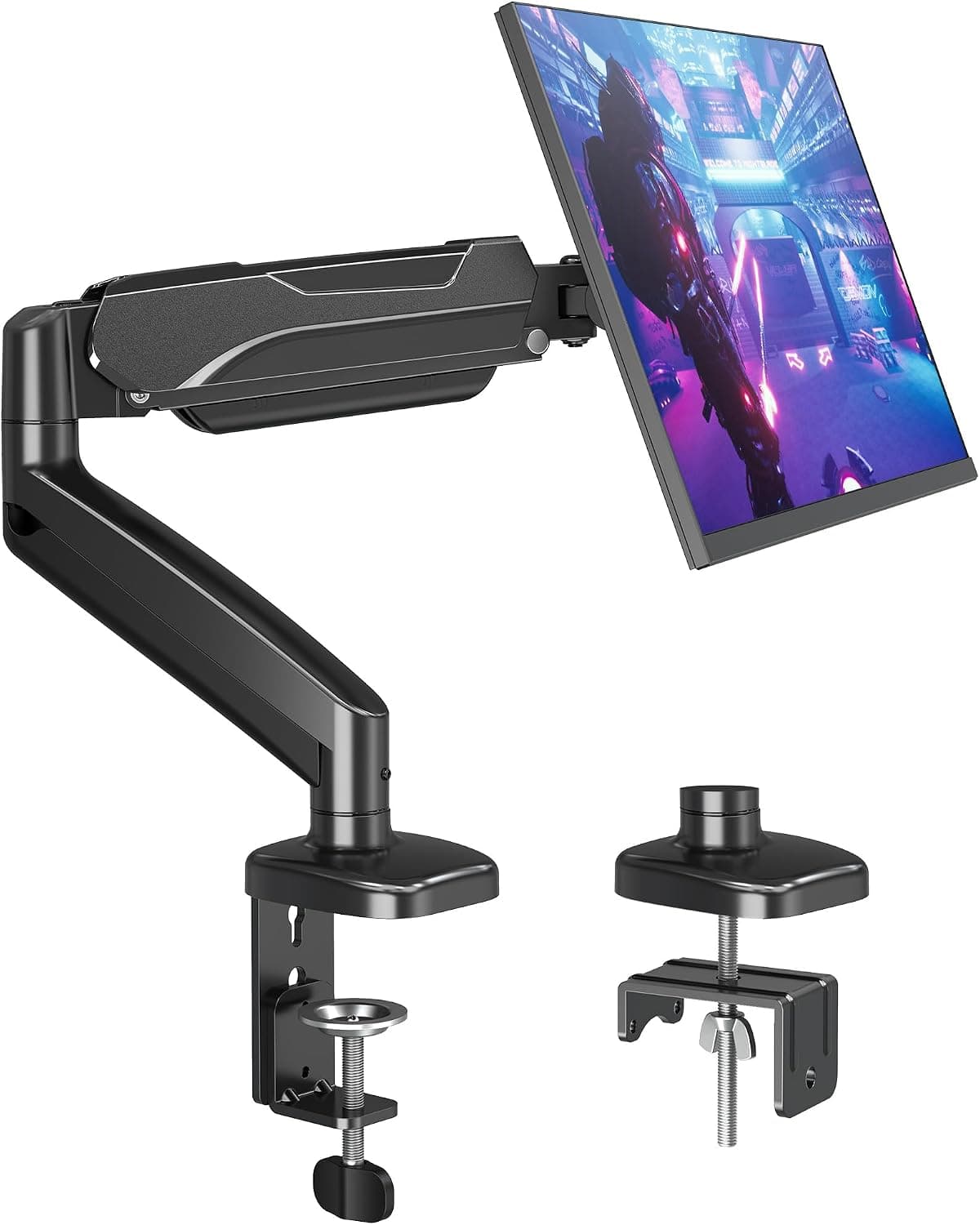
MOUNTUP's single monitor desk mount holds screens up to 32 inch and 4.4-17.6lbs, a full motion arm for podcast and editing desks.
Price range: See on Amazon
What we liked
- + Full motion arm moves the screen out of the way of mic arms
- + Clamp/Grommet base options suit many desk types
- + Holds screens up to 32 inch, covering most editing monitors
Trade-offs
- - 4.4-17.6lbs weight range excludes heavier large displays
- - Clamp can compete for desk edge space with boom arm mounts
Who this monitor arm fits
This arm is built for anyone setting up a podcast, streaming, or editing desk who needs a single monitor to move freely out of the way of other gear like a boom arm microphone, a ring light, or a camera. Because it supports screens from 17 up to 32 inches, it fits most standard editing and podcast monitors without needing a heavier-duty arm. Its full range of motion, including rotation, swivel, and tilt, suits people who regularly switch between landscape work and a rotated portrait view for reading scripts or scrolling chat while recording. It is a weaker fit for anyone running a large, heavy professional display above the rated weight range, since the arm's hardware is sized for lighter standard monitors rather than oversized production screens.
Weight capacity and monitor compatibility
MOUNTUP rates this arm to hold monitors weighing between 4.4 and 17.6 pounds, covering the great majority of 17 to 32 inch office and editing monitors on the market today. It attaches using the VESA mounting standard, compatible with the common 75 by 75 millimeter and 100 by 100 millimeter hole patterns found on the back of most monitors, so compatibility with a specific screen mostly comes down to checking its VESA pattern and weight against these limits before buying. Buyers with monitors above 17.6 pounds, which typically means larger or higher-end displays with heavier panels, should look at a heavier-duty arm instead, since pushing this model past its rated capacity can affect how well it holds position.
Range of motion and desk placement
The arm extends out roughly 19.6 inches and adjusts in height by about 16.1 inches, giving enough reach to pull a monitor forward for close editing work or push it back and to the side to clear desk space for a microphone or camera. It rotates a full 360 degrees for switching between landscape and portrait orientation, swivels left or right, and tilts up to 90 degrees up and 45 degrees down, covering most desk ergonomics needs without extra hardware. Two base mounting options are included, a C-clamp that fits desks between about 0.39 and 1.97 inches thick, and a grommet base for desks between 0.39 and 3.15 inches thick with a drilled hole, giving flexibility for different desk edge styles.
Fitting it alongside other podcast desk gear
On a busy podcast or streaming desk shared with a boom arm microphone, ring light, and camera mount, a monitor that stays fixed in one position often ends up in the way of at least one other piece of gear. This arm's full motion lets the screen swing out toward the edge of the desk when it is not being actively viewed, freeing up the center of the desk for a mic arm to swing freely, and its cable management channel helps keep the monitor's cables from tangling with other gear's cabling as everything moves around during setup and teardown between recording sessions.
Value and warranty
At its price point, this arm covers the monitor sizes and weights most podcast and editing setups actually use, with enough range of motion to genuinely solve the desk-crowding problem that a fixed monitor stand creates. It ships with the arm, mounting hardware, and a user manual, and is backed by a 3-year warranty against defects in materials and workmanship, though that warranty does not cover improper installation, misuse, or non-residential use. Anyone with a monitor heavier than 17.6 pounds, or a desk edge outside the clamp and grommet thickness ranges, should measure carefully before ordering, since those are the two most common reasons a single monitor arm like this does not fit a particular setup.
Frequently asked questions
What monitor sizes and weights does this arm support?
It supports monitors from 17 to 32 inches and weighing between 4.4 and 17.6 pounds, using the standard 75 by 75mm and 100 by 100mm VESA mounting patterns.
Can it mount on any desk?
It includes a C-clamp for desks 0.39 to 1.97 inches thick and a grommet base for desks 0.39 to 3.15 inches thick with a drilled hole, covering most standard desk edges.
Does the monitor rotate to portrait mode?
Yes, the arm rotates a full 360 degrees, so the monitor can switch between landscape and portrait orientation without removing it from the mount.
What is the warranty on this monitor arm?
MOUNTUP backs the arm with a 3-year warranty against defects in materials and workmanship, which does not cover improper installation, misuse, or non-residential use.
Prices change often, so check the current price and availability on Amazon.
Check price on AmazonPodcast Gear Hub may earn a commission from the link above.