Plugable USB Audio Adapter Bundle with USB C to USB Cable, 3.5mm Speaker-Headphone and Microphone Jack, External Stereo Sound Card Review (2026)
Updated September 14, 2026 · Research-based review
Our verdict
This Plugable bundle fixes a laptop with no headphone or mic jack, adding a driverless stereo sound card that works over USB-A and USB-C alike. Its strength is broad plug-and-play compatibility with no drivers to install. The trade-off is it stays a consumer adapter, not a substitute for a real interface when recording guests.
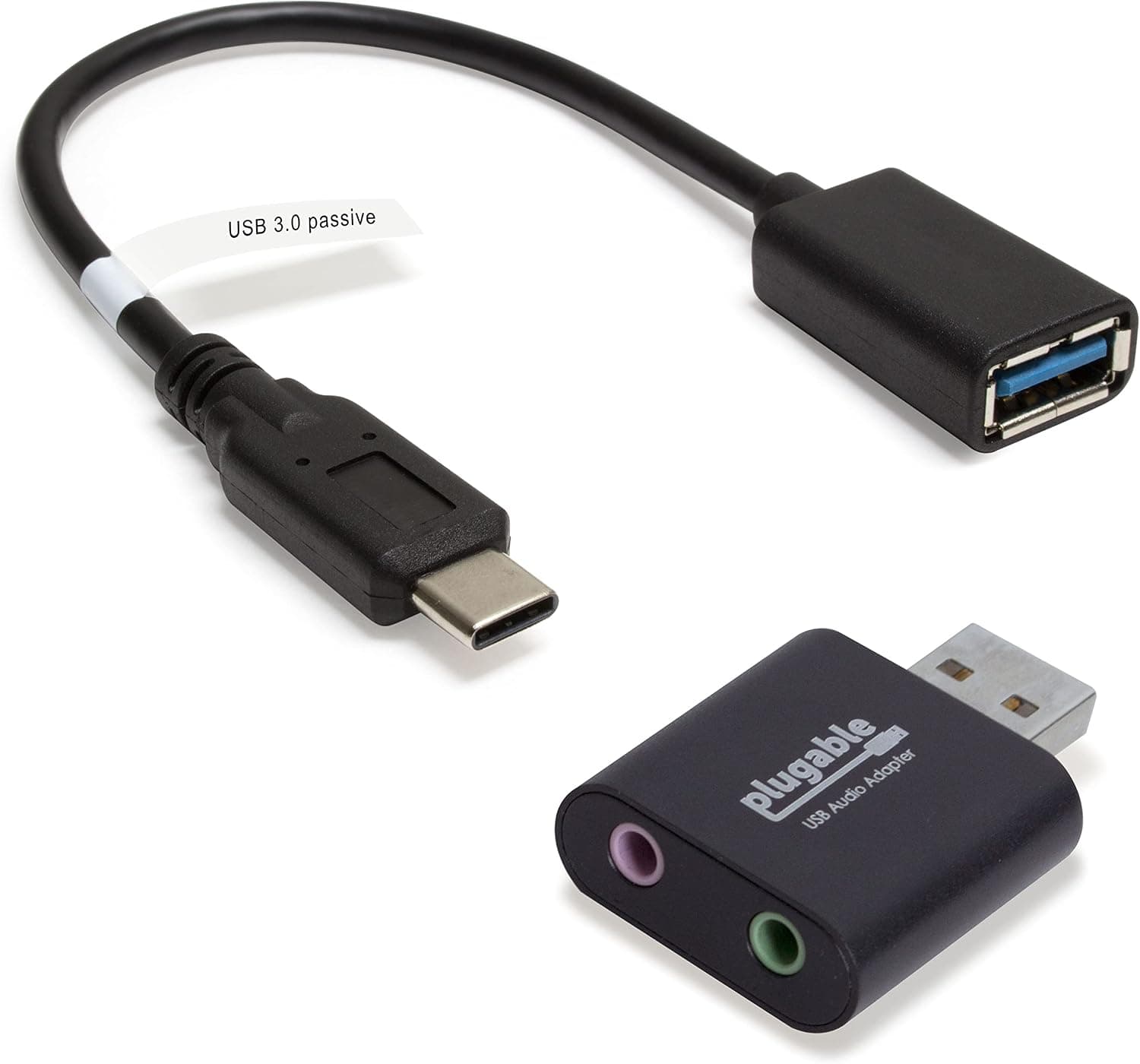
This Plugable USB audio adapter bundle includes a USB C to USB cable plus 3.5mm headphone and mic jacks as an external sound card.
Price range: See on Amazon
What we liked
- + USB C to USB cable lets it connect to newer laptops and tablets
- + Cable design avoids blocking nearby ports like stick adapters do
- + Stereo headphone and mic jacks handle everyday headsets
Trade-offs
- - Extra cable adds a little clutter compared with a single dongle
- - Still a consumer adapter, so it is no substitute for an interface
Who this bundle fits
This bundle suits anyone whose computer dropped the traditional headphone and microphone jacks, a common situation on newer ultrabooks and some Chromebooks, and who wants a cheap, reliable way to plug in a wired headset or lapel mic for calls and light recording. Because Plugable includes both the adapter itself and a USB-C to USB-A cable, it works whether your machine only has USB-C ports or still has a standard USB-A port, so you are not locked into one connector type. Podcasters who record simple interviews over a computer's built-in audio, or who need a quick backup sound card for a laptop that develops audio driver issues, are the target buyer here. It is not aimed at anyone running XLR microphones or a full mixer, since its job is strictly basic stereo in and out.
Specs and design in plain English
The adapter itself is a compact, lightweight puck built from aluminum with a black finish, carrying one 3.5mm stereo output jack for speakers or headphones and one separate 3.5mm microphone input jack, so you are not stuck sharing a single combo port the way some laptops do. Plugable's own product materials describe it as driverless and bus powered, meaning it draws power from the USB connection itself and needs no separate installation step on Windows, macOS, Chrome OS or Linux, including Raspberry Pi OS. The bundle specifically adds a USB-C to USB-A cable alongside the adapter, which is what lets it plug directly into USB-C laptops without a separate dongle stacked on top, avoiding the port-blocking that some single-piece adapters cause on slim machines.
Living with it day to day
Setup is about as close to zero effort as audio gear gets: plug the cable into a USB-C or USB-A port, plug your headphone and mic cables into the two 3.5mm jacks, and your system should recognize a new sound device automatically without hunting for drivers online. For podcasters this makes it a handy fallback to keep in a laptop bag, since a built-in sound card failure or a laptop with no jacks at all no longer means missing a recording session. The separate output and input jacks are a real advantage over combo-jack dongles when using a gaming-style headset with two separate plugs, which is a common setup among newer streamers and remote co-hosts. It will not remember custom settings between machines since it is a simple pass-through device with nothing to configure.
Trade-offs and how it compares
The extra USB-C cable that makes this bundle useful on modern laptops also adds a bit more clutter on the desk compared with Plugable's own single-dongle USB-A version, so anyone who only ever uses USB-A ports may prefer that simpler variant instead. Against name brand alternatives like the UGREEN USB to Audio Jack adapter, the core function is similar, plug-and-play stereo in and out, and the deciding factor tends to be which cable format matches your laptop rather than any meaningful audio quality difference between these budget adapters. None of these consumer dongles compete with even an entry-level audio interface on noise floor or preamp quality, so a podcaster recording a guest microphone, rather than just monitoring audio, should treat this as a stopgap rather than a long-term studio tool.
Verdict and who should look elsewhere
Scoring 7.6 out of 10 here, this bundle earns its place as a practical, inexpensive fix for a very specific problem: a computer without the audio jacks a podcaster needs, solved with a cable format that matches modern USB-C and older USB-A machines alike. It is a sensible purchase for anyone recording basic calls, monitoring through wired headphones, or plugging in a simple lapel mic on a laptop with no onboard jacks. Anyone recording an XLR microphone, running multiple mic inputs, or wanting individual gain control per channel should skip this and budget for an actual USB audio interface instead, since this adapter has no mixing or gain controls of its own.
Frequently asked questions
Does the Plugable adapter need drivers installed?
No. Plugable describes it as driverless, so Windows, macOS, Chrome OS and Linux should recognize it automatically once plugged in.
Will this work with a USB-C only laptop?
Yes. The bundle includes a USB-C to USB-A cable specifically so the adapter can connect to laptops that only have USB-C ports.
Can I use this with an XLR podcast microphone?
No. It only has 3.5mm jacks for stereo headphones and a microphone, so an XLR mic needs a proper audio interface instead.
Does it work with a phone or tablet?
Plugable's own materials note compatibility is aimed at computers rather than TVs or cars, so check your specific device's USB audio support first.
Prices change often, so check the current price and availability on Amazon.
Check price on AmazonPodcast Gear Hub may earn a commission from the link above.