UGREEN USB to Audio Jack Sound Card Adapter with TRS 3.5mm Headphone & Mic, External Sound Card for Computer, PS5, PS4 Review (2026)
Updated September 14, 2026 · Research-based review
Our verdict
UGREEN's USB to audio jack adapter adds separate headphone and microphone ports to any USB-A computer or console, making it a cheap fix for split-cable gaming headsets on PS5, PS4, or a laptop missing jacks. It is convenient and compact, but its consumer-grade audio is not meant for serious podcast capture.
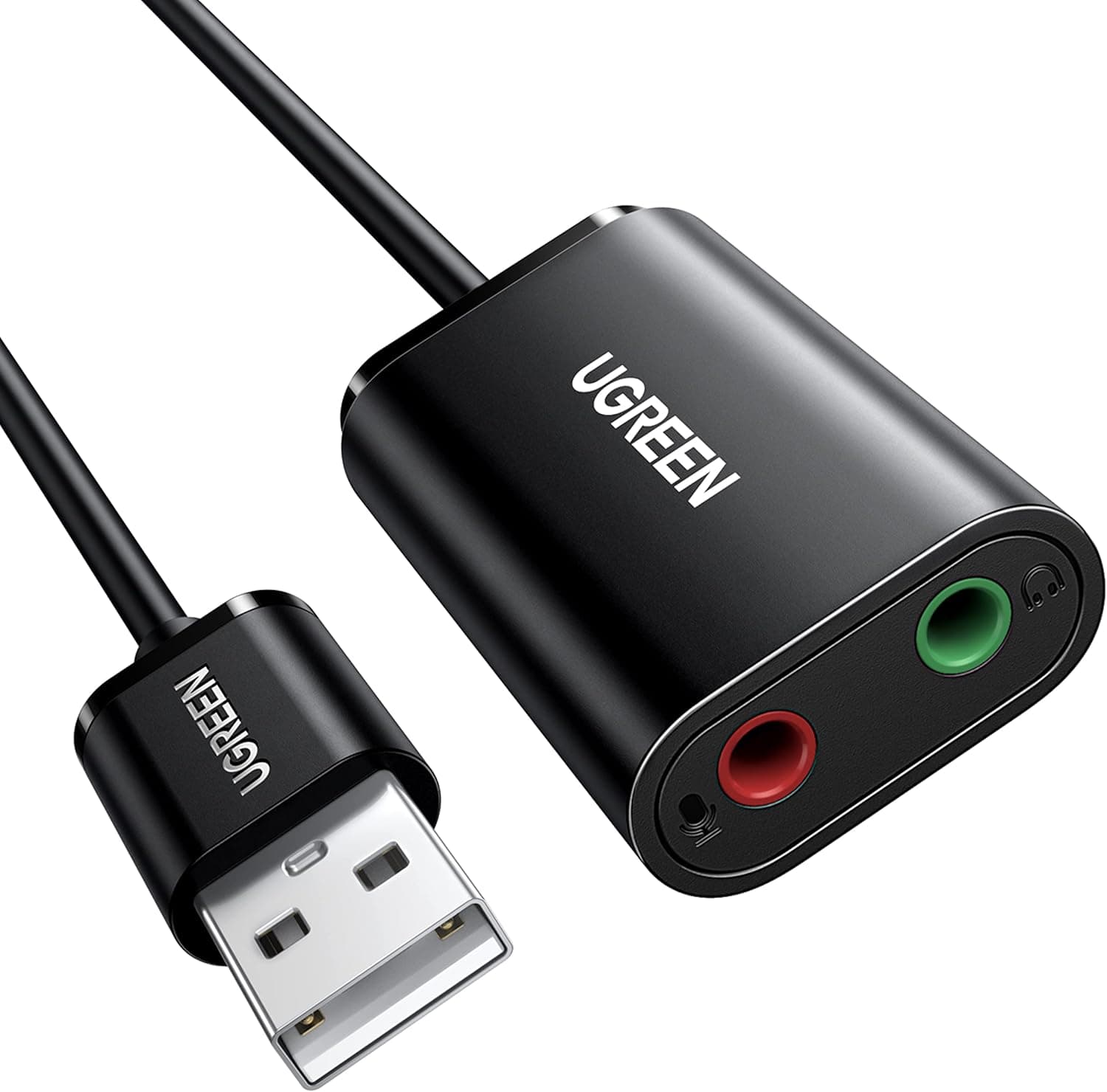
UGREEN's USB to audio jack sound card has TRS 3.5mm headphone and mic ports, working with computers plus PS5 and PS4 consoles.
Price range: See on Amazon
What we liked
- + Works with PS5 and PS4 as well as computers, handy for console chat
- + Separate headphone and mic ports connect split-cable headsets
- + UGREEN build is compact and travel friendly
Trade-offs
- - Headsets with a single combined plug may need a splitter cable
- - Consumer-grade audio is not meant for high-quality podcast capture
Who this adapter fits
This USB sound card adapter is aimed at anyone whose computer, laptop, or console lacks separate headphone and microphone jacks, or whose built-in audio port has failed. Because it exposes two distinct 3.5mm ports rather than a single combo jack, it specifically suits people using headsets with separate headphone and microphone plugs, a common setup for gaming headsets and older wired earphone-and-mic combos. It works across PS5, PS4, and computers, so it fits a podcaster who occasionally records console gameplay commentary or needs a quick, portable audio fix while traveling with a laptop that has limited ports. It is a poor fit for anyone recording a primary podcast episode, since it is built as a basic connectivity adapter rather than a proper audio interface with mic gain control.
Specs and design in plain English
The adapter plugs into a standard USB-A port and breaks audio out into two separate 3.5mm jacks, a green port for stereo headphone or speaker output and a red port for mono microphone input, matching the split-cable design many gaming headsets use. It is compact, with a slim enough housing that it will not block neighboring USB ports on a crowded laptop or console. UGREEN markets it as plug and play, meaning it needs no additional drivers on most supported systems, and it draws power from the USB connection itself rather than needing a separate power supply. It is compatible with Windows, macOS, Chrome OS, Linux, and the PS5 and PS4 consoles, though the microphone input is designed for a standard TRRS or CTIA headset mic rather than a standalone studio microphone.
Living with this adapter
Setup is about as simple as USB accessories get: plug it into an available USB-A port, plug your headphone and microphone cables into the matching color-coded jacks, and most systems will recognize it automatically without installing anything. On a console, it typically shows up as an available audio device in the settings menu, letting you route party chat or game audio through a wired headset that would otherwise need a proprietary adapter. There is little ongoing care involved beyond keeping the jacks free of dust and avoiding excessive strain on the short cable where it meets the USB connector, which is the most common failure point on small adapters like this. Since it has no onboard controls, volume and mute are handled through your device's own settings rather than on the adapter itself.
Trade-offs against rival adapters
Against the higher-scored Plugable USB Audio Adapter Bundle in the same guide, this UGREEN adapter is a close, budget-friendly alternative with essentially the same separate-jack design, though Plugable's bundle includes an extra USB-C cable that some buyers may find convenient. Compared to lower-ranked single-cable sound cards further down the guide, this model holds a middle position on value thanks to its broad console and computer compatibility. None of the adapters in this category, including this one, are built for serious podcast recording, since they are designed around consumer headset compatibility rather than clean microphone gain staging. Anyone wanting a real upgrade in recorded voice quality needs a dedicated USB microphone or a proper audio interface instead of any USB sound card adapter.
Verdict and who should pick something else
This adapter earns our score of 7.4 out of 10, with its strongest mark for value given how cheaply it solves a specific, common connectivity problem across computers and consoles. It is the right pick for anyone who needs separate headphone and mic ports added to a device that lacks them, especially gamers and casual chatters using split-cable headsets. Podcasters looking to actually record and publish episodes should skip this category entirely and invest in a proper USB or XLR microphone instead, since this adapter's audio quality is built for chat and gaming, not for capturing a voice that needs to sound clean and professional.
Frequently asked questions
Does this adapter work on PS5 and PS4?
Yes, it is listed as compatible with PS5 and PS4 consoles as well as computers, making it useful for connecting a split-cable headset to a console for party chat or game audio.
Can I use a regular microphone with this adapter?
The microphone input is designed for a standard headset mic using a TRRS or CTIA connector rather than a standalone studio microphone, so it is not meant for podcast recording.
Do I need to install drivers for this adapter?
It is designed as plug and play and typically works without extra drivers on supported systems, though very old or unusual operating systems may need manufacturer drivers.
Why does my headset only have one jack but this adapter has two?
This adapter is built for headsets with separate headphone and microphone plugs. A single combined TRRS plug headset will need a splitter cable or a combo-jack adapter instead.
Prices change often, so check the current price and availability on Amazon.
Check price on AmazonPodcast Gear Hub may earn a commission from the link above.