TONOR TC30 USB Cardioid Condenser Computer Microphone with Tripod and Pop Filter Review (2026)
Updated September 14, 2026 · Research-based review
Our verdict
The TONOR TC30 pairs a cardioid USB condenser with a tripod and pop filter in one budget kit, making it an easy first mic for a new podcaster or streamer. Voice pickup is clean for the price, but the lack of a headphone jack for zero-latency monitoring and the short tripod are real limits once a setup grows.
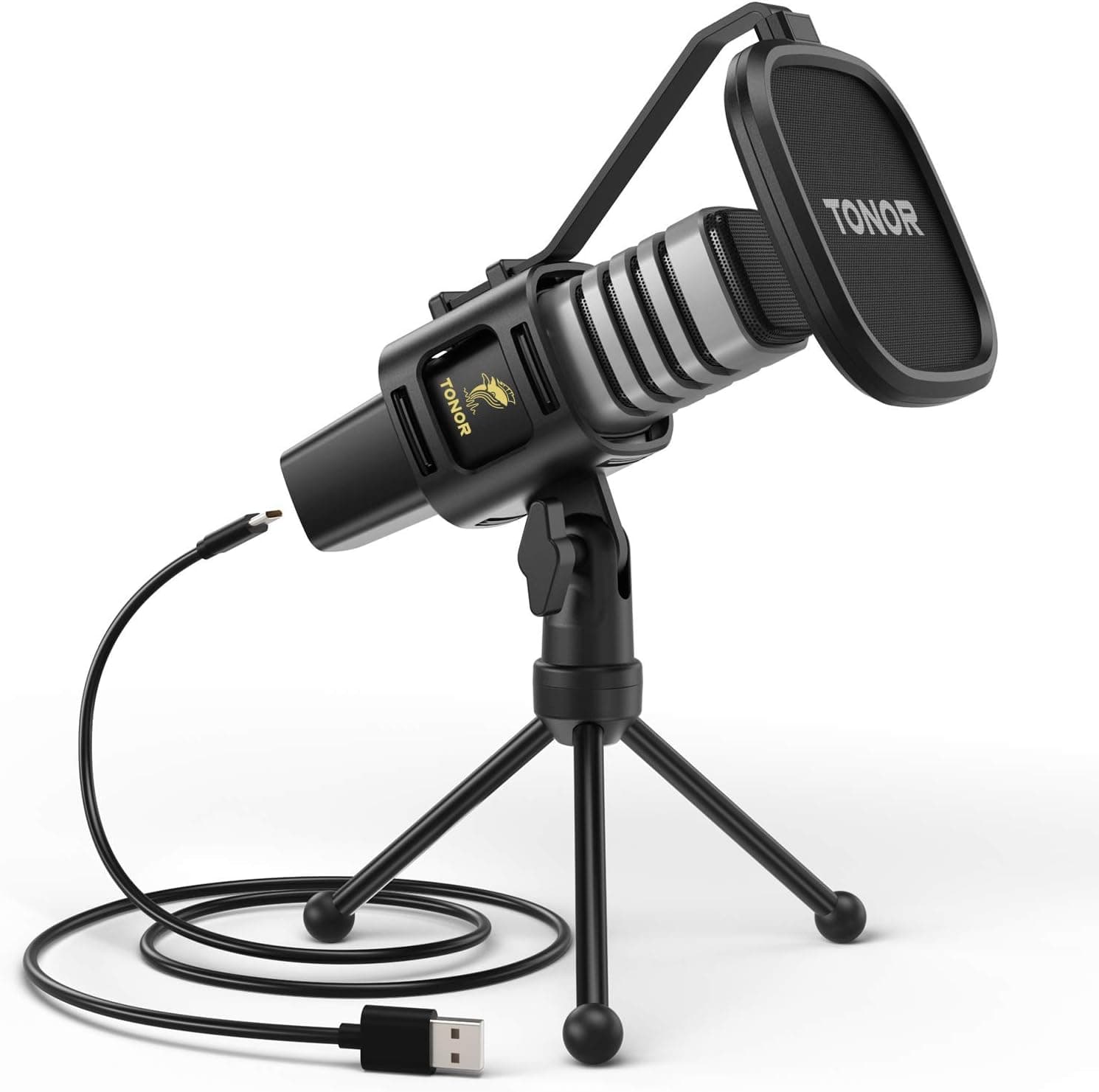
TONOR's TC30 is a cardioid USB condenser with a tripod and pop filter, a budget kit that includes the key basics for clean voice.
Price range: See on Amazon
What we liked
- + Pop filter is included, which helps tame harsh P and B sounds from day one
- + Tripod stand keeps setup simple for laptop and desktop recording
- + Cardioid pattern favors your voice over sounds from the sides and rear
Trade-offs
- - No headphone jack for direct monitoring of the recording
- - Tripod height is limited, so a boom arm may be needed for good posture
Who the TC30 fits
The TC30 is aimed squarely at someone starting a podcast, stream, or set of video calls from a laptop or desktop who wants one box that solves microphone, stand, and pop filter in a single purchase. Because it plugs straight into a USB port with no interface, mixer, or extra drivers needed on Windows, macOS, or Linux, it fits a beginner who wants to record usable voice the same day it arrives rather than researching an audio chain. The cardioid pattern focuses on the host's mouth in front of the mic while suppressing sound from the sides and rear, which helps in a home office or bedroom that is not acoustically treated. It fits less well for anyone who wants zero-latency headphone monitoring built into the mic itself, or a multi-host setup needing more than one input.
Specs and design explained
The TC30 is a condenser microphone with a cardioid polar pattern, recording at a 48kHz sample rate with 16 bit depth and a frequency response of 50Hz to 20kHz. Sensitivity is rated at negative 32dB plus or minus 3dB with a signal to noise ratio above 68dB, numbers that put it in line with other entry-level USB condensers rather than studio-grade interfaces. It connects using a detachable USB-C to USB-A 2.0 cable roughly two meters long, so a damaged cable can be replaced without discarding the whole mic. The kit bundles a shock mount, a foldable mic tripod, and a pop filter, covering the basics most beginners would otherwise buy separately, and it is compatible with Windows, macOS, and Linux without extra driver installation.
Living with the TC30
Setup is quick: screw the mic into the included shock mount, clip on the pop filter, plug the USB cable into a computer, and select the TC30 as the input device in whatever recording or call software is being used. Because the mic has no headphone output, there is no way to monitor the recorded signal directly from the mic itself, so checking levels means either listening through the computer's own output, which can introduce a small delay, or routing audio through separate monitoring software. The included tripod keeps the mic stable on a desk, though its low height means anyone who wants the mic closer to mouth level while sitting upright may eventually add a boom arm. Day to day care is simple, keep the pop filter clean and store the mic away from dust when not in use.
Trade-offs against rival budget mics
Against the FIFINE K669B and MAONO AU-903, both ranked ahead of the TC30 in the same budget microphone guide, the clearest gap is monitoring: the MAONO AU-903 includes a headphone jack and mute button that the TC30 lacks entirely, which matters for anyone who wants to hear exactly what is being recorded in real time. The TC30 answers back with a genuinely useful bundle, a real pop filter and tripod included rather than sold separately, which keeps the total cost of a first setup lower than buying a bare mic and adding accessories piece by piece. Against the Behringer XM8500, a dynamic XLR mic that needs an interface, the TC30 wins on simplicity since it needs nothing beyond a USB port to start recording.
Verdict and who should pick something else
The TC30 earns our score of 7.6 out of 10, helped by strong value since the bundle covers mic, stand, and pop filter in one purchase, but held back slightly on build and features next to rivals with headphone monitoring. It suits someone setting up their very first podcast, stream, or call rig on a tight budget who wants everything working the same day with no extra shopping. Anyone who wants to monitor their voice through headphones directly from the microphone, or who plans to add a boom arm and expects a taller starting stand, should look at a rival like the MAONO AU-903 or budget for separate accessories instead.
Frequently asked questions
Does the TONOR TC30 have a headphone jack for monitoring?
No. The TC30 has no built-in headphone output, so real-time zero-latency monitoring from the mic itself is not possible, unlike some rival budget USB mics.
What comes included with the TONOR TC30?
The kit includes the condenser microphone, a shock mount, a foldable mic tripod, a pop filter, and a detachable USB-C to USB-A cable.
Is the TONOR TC30 compatible with Mac and Linux?
Yes. It works with Windows, macOS, and Linux over USB without needing extra drivers installed.
Does the TC30 need an audio interface?
No. It connects directly to a computer's USB port and is recognized as an audio input on its own, with no separate interface or mixer required.
Prices change often, so check the current price and availability on Amazon.
Check price on AmazonPodcast Gear Hub may earn a commission from the link above.