Plugable USB Audio Adapter Adds 3.5mm Speaker and Microphone Ports, Compact External Sound Card for Windows, Mac, Linux Review (2026)
Updated September 14, 2026 · Research-based review
Our verdict
This Plugable USB audio adapter is a cheap fix for a laptop or desktop with a broken, noisy, or missing 3.5mm jack, adding separate speaker and microphone ports that work across Windows, Mac, and Linux. It only supports 3.5mm gear, so anyone planning to use an XLR podcast microphone will need a different interface entirely.
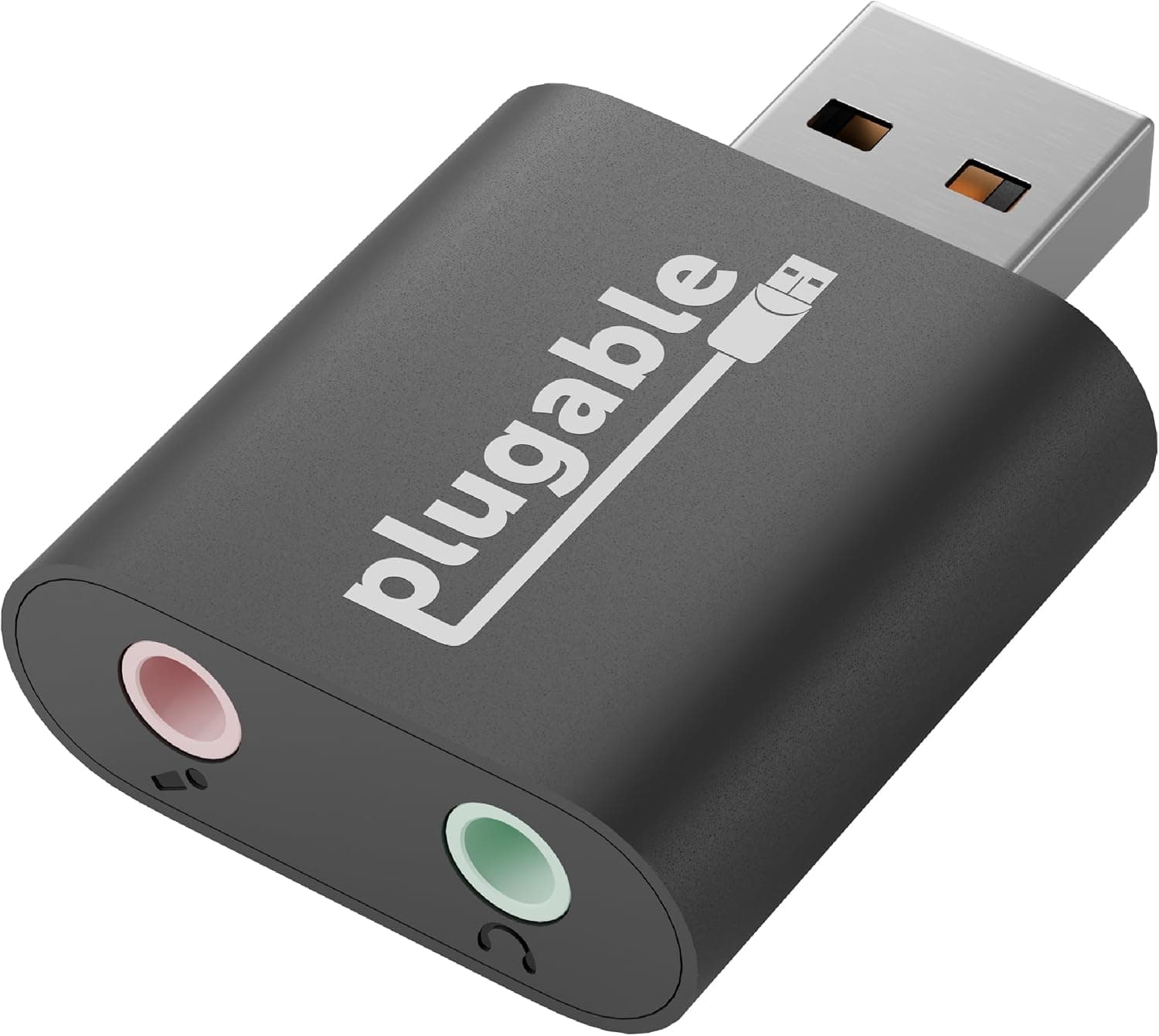
Plugable's USB audio adapter adds 3.5mm speaker and microphone ports, a compact sound card for Windows, Mac and Linux.
Price range: See on Amazon
What we liked
- + Supports Windows, Mac and Linux, so it works across most computers
- + Compact dongle fixes noisy or dead onboard audio jacks cheaply
- + Separate speaker and mic ports suit headsets with two plugs
Trade-offs
- - Stick shape can block neighboring USB ports on tight laptops
- - Only helps 3.5mm gear, not professional XLR microphones
A Small Fix For A Common Problem
The Plugable USB Audio Adapter is a compact dongle that plugs into a USB port and provides one 3.5mm output for speakers or headphones and one separate 3.5mm input for a microphone, effectively replacing a computer's built-in sound card. It suits anyone whose laptop has a single combo audio jack that does not play well with headset microphones, a desktop whose onboard audio has become noisy or failed, or a Chromebook or Linux machine with limited built-in audio options. Podcasters and streamers on a tight budget who already own a 3.5mm headset or desktop mic, rather than a USB or XLR microphone, are the clearest fit, since this adapter adds ports rather than any processing or mixing features.
What The Adapter Actually Adds
Plugable's own product page describes the adapter as bus-powered over USB with no external power or extra drivers needed on most systems, built into a small aluminum housing, and compatible with any computer that supports the standard USB Audio Class, which covers current versions of Windows, macOS, Linux, and Chrome OS. The two separate 3.5mm jacks, one for output and one for microphone input, are the main feature, since many built-in laptop jacks combine both into a single TRRS connector that not every headset supports cleanly. Plugable backs the adapter with a two-year limited warranty, which is a reasonable assurance for a device in this price range and points to it being built for longer everyday use rather than a disposable accessory.
Setup, Daily Use and Limitations
Setup is genuinely plug-and-play on most systems: connect the adapter to a free USB port, plug in a 3.5mm microphone or headset and a set of speakers or headphones, and the computer should recognize both automatically without installing separate drivers. Because the adapter is a small stick shape, it can physically block an adjacent USB port on laptops with tightly spaced connectors, so a short USB extension cable is worth keeping on hand in cramped setups. Day to day, there is little maintenance beyond keeping the ports free of dust, though it is worth noting the adapter only carries analog 3.5mm audio and has no gain control or mute switch of its own, so any level adjustment happens in the operating system or a connected mixer.
How It Compares With Other USB Adapters
Against Plugable's own bundled version, which adds a USB-C cable in the box, this base adapter is the more affordable option for anyone who already has the right USB cable on hand. Compared with UGREEN's similar TRS adapter, which also targets game consoles like the PS4 and PS5, this Plugable model is positioned more squarely at computers, while both occupy a similar price and feature tier in the site's own ranking. Against a generic budget option like the QAJOPFN adapter, Plugable's build quality and two-year warranty are the differentiators, since bare USB sound dongles otherwise tend to compete mainly on price rather than durability or driver support.
Verdict and Who Should Choose Differently
This adapter earns a strong value score in the site's own breakdown because it solves a specific, common problem cheaply: a missing, damaged, or noisy 3.5mm jack on a computer that otherwise works fine. It is the right buy for anyone with a 3.5mm headset, lavalier mic, or desktop condenser who just needs a clean way to plug it into a laptop. Anyone planning to record with a professional XLR podcast microphone should skip this adapter entirely and look at a proper audio interface or mixer instead, since this device has no XLR input, no phantom power, and no gain staging beyond basic operating system volume controls.
Frequently asked questions
Does the Plugable USB Audio Adapter need drivers?
No. It works with the standard USB Audio Class built into Windows, Mac, Linux, and Chrome OS, so most systems recognize it automatically without installing separate software.
Can this adapter power an XLR microphone?
No. It only has 3.5mm speaker and microphone jacks, so it cannot connect an XLR microphone or supply phantom power the way a dedicated audio interface can.
Will this adapter block other USB ports on my laptop?
It can, since it is a small stick-shaped dongle, so laptops with closely spaced USB ports may need a short USB extension cable to avoid crowding neighboring ports.
What warranty does Plugable offer on this adapter?
Plugable lists a two-year limited parts and labor warranty on the USB Audio Adapter along with email support based in Seattle, according to the company's own product page.
Prices change often, so check the current price and availability on Amazon.
Check price on AmazonPodcast Gear Hub may earn a commission from the link above.