FIFINE K668 Plug and Play USB Condenser Microphone for Windows and Mac Review (2026)
Updated September 20, 2026 · Research-based review
Our verdict
The FIFINE K668 is a plug-and-play USB condenser with zero setup on Windows or Mac, cheap enough to leave budget for a pop filter. An independent test found it clips easily at very low gain and its real pattern is wider than the advertised cardioid spec, so treat it as an entry mic, not one that sounds clean in an untreated room.
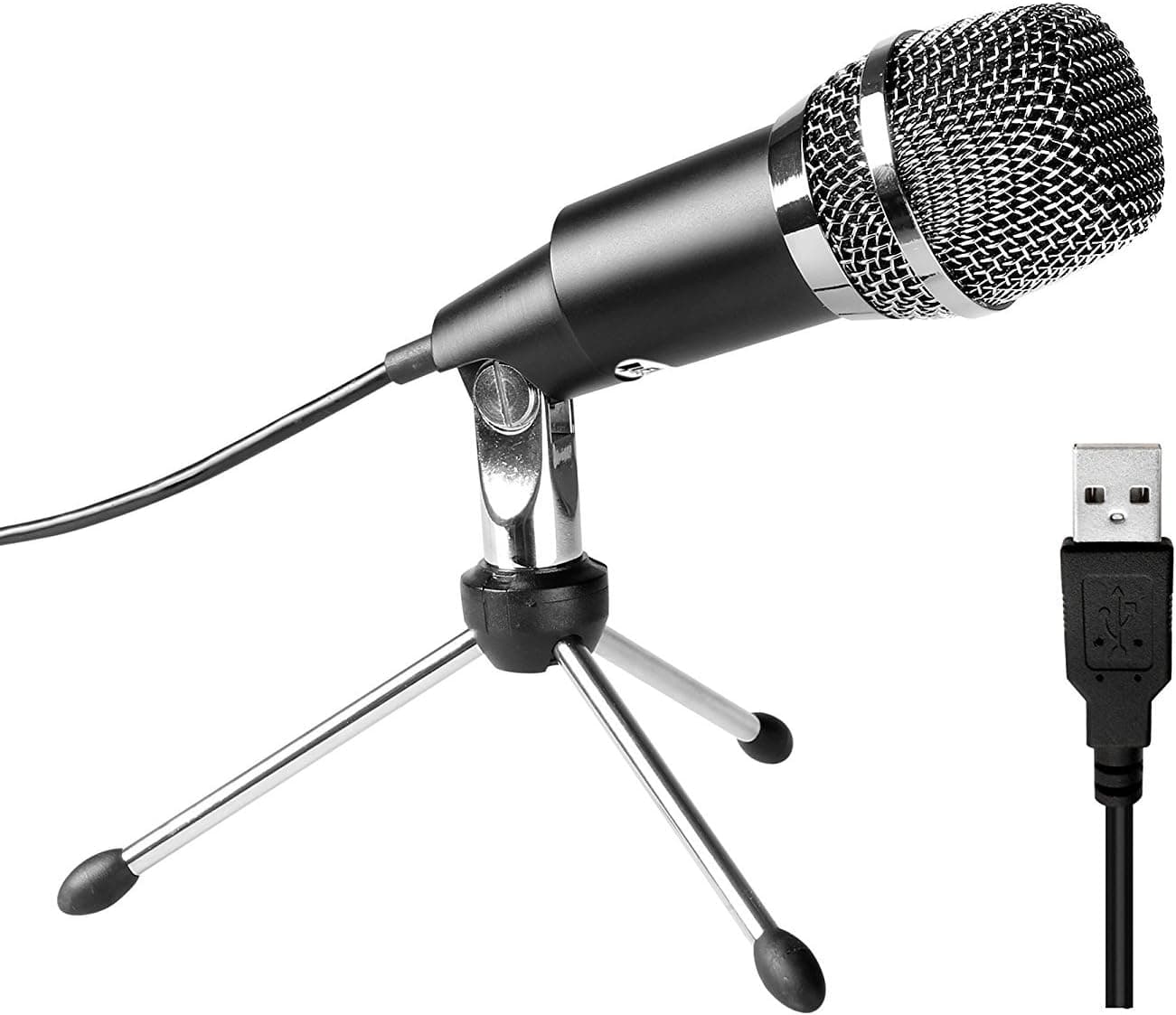
The FIFINE K668 is a plug-and-play USB condenser for Windows and Mac, a no-fuss budget mic for online meetings and starter podcasts.
Price range: See on Amazon
What we liked
- + Works on Windows and Mac without drivers, so setup takes almost no effort
- + Low cost leaves budget for a pop filter or basic foam for your room
- + Simple design means there are few settings for beginners to get wrong
Trade-offs
- - Minimal onboard controls, so levels must be adjusted in computer settings
- - Clips easily at low input gain, so backing off the mic helps avoid distortion
Who the K668 fits
The K668 targets first-time streamers, casual podcasters, and anyone who wants a step up from a laptop microphone without learning audio interface settings. It connects over USB and installs no drivers on either Windows or Mac, so it suits people who just want to plug in and start a call or recording. Its all-metal build and included tripod stand make it a reasonable desk mic for online meetings, Discord calls, and basic voice recordings where studio-grade clarity is not the priority. It is a weaker fit for anyone recording in a live or untreated room, since its actual pickup pattern picks up more surrounding sound than a tight cardioid mic would, and it is not the right choice for anyone planning to record loud sources or push gain much above minimal levels.
Specs and what is included
FIFINE lists the K668 with a cardioid pickup pattern and a frequency response of roughly 50 Hz to 16,000 Hz, connecting over standard USB with no external power supply or software needed. The body is metal rather than plastic, which gives it a reassuring weight for its low price, and it ships with a compact metal tripod stand so it can sit on a desk right away. There are minimal onboard controls, so gain and levels are set entirely in the computer's sound settings rather than with a physical knob, which keeps the design simple but leaves less room to react quickly if a source is too loud.
How it actually performs
An independent practical test found a real problem beyond the mic's simple feature set: with the computer's input gain set to as low as 1 percent, the K668 was already clipping at a one-foot recording distance, forcing the tester back to roughly two feet just to avoid distortion. That same review measured the pickup pattern as far wider than a true cardioid, closer to an omnidirectional or very wide cardioid capsule, meaning it picks up more room noise and off-axis sound than the cardioid spec implies. Overall sound quality was rated as noticeably worse than the mic's low price alone would suggest, so buyers should expect a capsule that needs careful gain staging and a quiet room to sound acceptable rather than one that is forgiving out of the box.
Room and setup considerations
Because independent testing found the real-world pattern wider than advertised, the K668 is more sensitive to room noise and to other people or speakers nearby than a tight cardioid design would be, so pairing it with even basic foam panels or recording in a quiet, soft-furnished room matters more here than with tighter capsules. Keeping some distance from the capsule, rather than speaking directly into it at close range, helps manage the clipping tendency reported in testing. Since the mic offers no onboard gain knob, all level adjustment happens in the operating system's sound settings, so it is worth testing levels with a short recording before any important call or session to avoid discovering clipping after the fact.
Value and the honest trade-off
At its low price, the K668 remains an easy way to get a dedicated microphone onto a desk without spending on an audio interface, and its metal build and plug-and-play setup make it approachable for beginners. The trade-off, based on independent testing rather than the listing alone, is real: sound quality issues from gain sensitivity and a wider-than-advertised pattern mean it will not match the clarity of mid-range USB condensers built for voice specifically. It is best treated as a starter mic to learn on or a backup for casual calls, not a long-term solution for anyone serious about podcast or voiceover audio quality.
Frequently asked questions
Does the FIFINE K668 need drivers or software?
No. It is plug-and-play on both Windows and Mac, so it works as soon as it is plugged into a USB port with no separate installation.
Why does my recording sound distorted or clipped?
Independent testing found the K668 can clip even at very low input gain settings, so lower the gain further in your computer's sound settings and increase your distance from the mic to about two feet.
Is the K668 a true cardioid microphone?
FIFINE lists it as cardioid, but an independent review measured its real pattern as much wider, closer to omnidirectional, so expect more room noise pickup than a tight cardioid mic.
What is included with the K668?
The microphone ships with a compact metal tripod stand and a USB cable, with no pop filter or shock mount included in the base package.
Prices change often, so check the current price and availability on Amazon.
Check price on AmazonPodcast Gear Hub may earn a commission from the link above.