HDMI to USB Game Capture Card 4K Input 1080P 60FPS Output Review (2026)
Updated September 14, 2026 · Research-based review
Our verdict
A budget pick for streamers who want a console or camera feed onto a laptop through OBS without a big spend. 4K passthrough into a 1080p 60fps recorded output covers casual streaming, but it will disappoint anyone who expects true 4K capture.
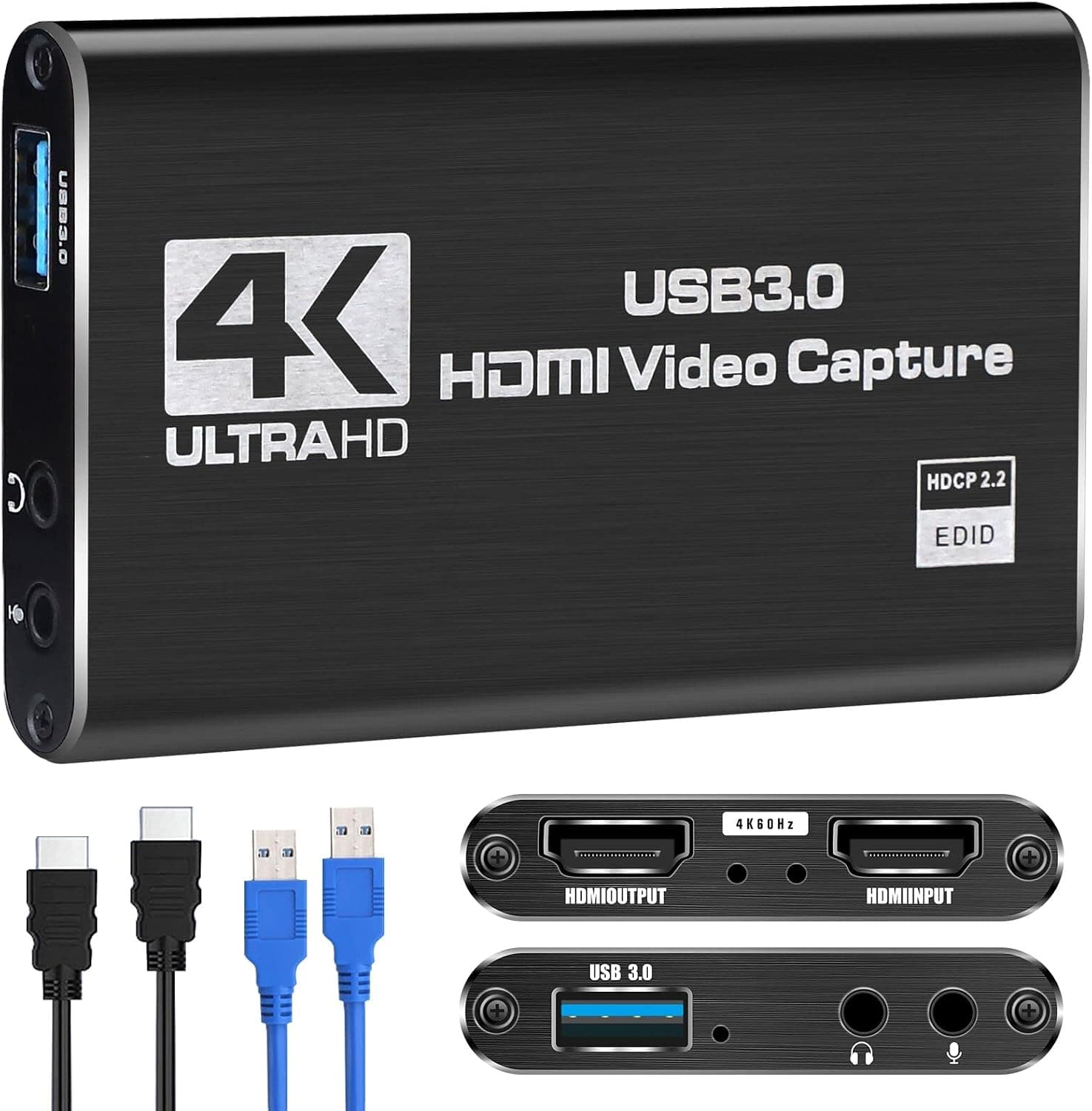
An HDMI to USB game capture card with 4K input and 1080P 60FPS output, suited to console streaming and camera capture.
Price range: $ (Budget)
What we liked
- + 4K input accepts signals from modern consoles and cameras
- + 1080P 60FPS output keeps motion smooth on streams
- + Simple USB connection works with common streaming software
Trade-offs
- - Recording is limited to 1080P despite the 4K input
- - Generic listing gives little info on latency or chipsets
Who this capture card suits
This is an HDMI to USB capture device built for people who already stream or record gameplay from a console or camera and need a simple bridge into a laptop or desktop running software like OBS. It accepts a 4K HDMI source and outputs a 1080p signal at 60 frames per second to the connected computer, which lines it up with casual streamers, podcast video creators capturing a camera feed, and console players on PS4, PS5, or PC who do not need broadcast-grade 4K footage. It is not the right choice for a creator whose whole pitch is native 4K video, since the output side caps out well below that regardless of what goes into the HDMI port. For a podcaster who wants to show a webcam or DSLR feed inside a streaming layout alongside microphone audio, this kind of card is a normal, inexpensive part of the chain.
What the 4K in, 1080p out spec actually means
The listing is clear that the input accepts up to 4K HDMI, but the card only outputs at 1080p 60 frames per second to the host computer, so any 4K source gets downscaled before it reaches recording software. That is a common and reasonable design for an affordable capture card, since it keeps USB bandwidth and CPU load manageable on a modest laptop, and 1080p 60fps is still smooth, broadcast-friendly video for most YouTube and Twitch style content. Buyers should treat the 4K figure as an input compatibility spec, meaning it will accept a 4K source without a picture problem, not as a promise of 4K recordings. The product is built to work with PS4, PS5, and PC sources feeding into OBS or similar capture software on the receiving end.
Setting it up for streaming or podcast video
In practice, a card like this plugs in with an HDMI cable from the console, camera, or a second PC, and a USB cable to the streaming computer, after which OBS or comparable software picks it up as a standard video capture source. Because it is a compact, plug style device rather than a full-size capture box, it suits desks that already have a cable management challenge from mics, boom arms, and lighting. Buyers who plan to run it for long streaming sessions should keep ventilation in mind, since small capture dongles of this style can run warm during extended 1080p 60fps output. First-time users should expect to select the correct capture device inside OBS settings rather than have it appear automatically as a webcam.
How it compares with other budget capture cards
Against a 4K capture card with USB 3.0 and an HDMI loop-out port, this model gives up the ability to simultaneously send a clean 4K signal to a separate monitor while capturing, which matters for creators who want to watch their own 4K broadcast on a TV while streaming a downscaled feed. Compared with low latency branded alternatives aimed specifically at competitive gamers, the generic nature of this listing means there is little published information about exact glass-to-glass latency or the chipset inside, so buyers chasing the tightest possible lag for fast-paced gameplay may want a card with clearer latency specs. For a podcaster capturing a fairly static camera angle rather than fast motion, that latency gap matters far less.
Verdict and who should pick something else
This capture card earns our score of 7.6 out of 10 as a low-cost way to get a console, camera, or second PC feed into streaming software, with 4K input flexibility and smooth 1080p 60fps output covering the needs of most casual streamers and podcast video creators. Anyone planning to sell 4K recordings, or who needs the tightest possible latency for competitive esports play, should look at a card that documents its chipset and latency numbers rather than a generic budget listing. Buyers should also go in expecting limited detail on build quality and support, since the listing itself gives little information beyond the core input and output specs.
Frequently asked questions
Can this capture card record in true 4K?
No. It accepts a 4K HDMI input but outputs at 1080p 60 frames per second to the connected computer, so recordings and streams through it are captured at 1080p regardless of the source resolution.
Does it work with PS5 and PS4?
The listing states compatibility with PS4, PS5, and PC sources feeding into software such as OBS, which covers the common console streaming setup for creators using this type of budget capture card.
Do I need special software to use it?
It works as a standard USB capture device that streaming software like OBS can select as a video source. No proprietary app is required, though first-time users need to pick the device manually in their software's settings.
Prices change often, so check the current price and availability on Amazon.
Check price on AmazonPodcast Gear Hub may earn a commission from the link above.