BIFALE 4K HDMI Video Capture Card Full 1080P 60FPS USB 3.0 Review (2026)
Updated September 21, 2026 · Research-based review
Our verdict
A budget entry point for a podcaster adding a second camera or console feed to a video setup on a tight budget. Plug-and-play USB 3.0 with no external power keeps setup simple, but the 1080p output ceiling and lesser-known brand are trade-offs against pricier rivals.
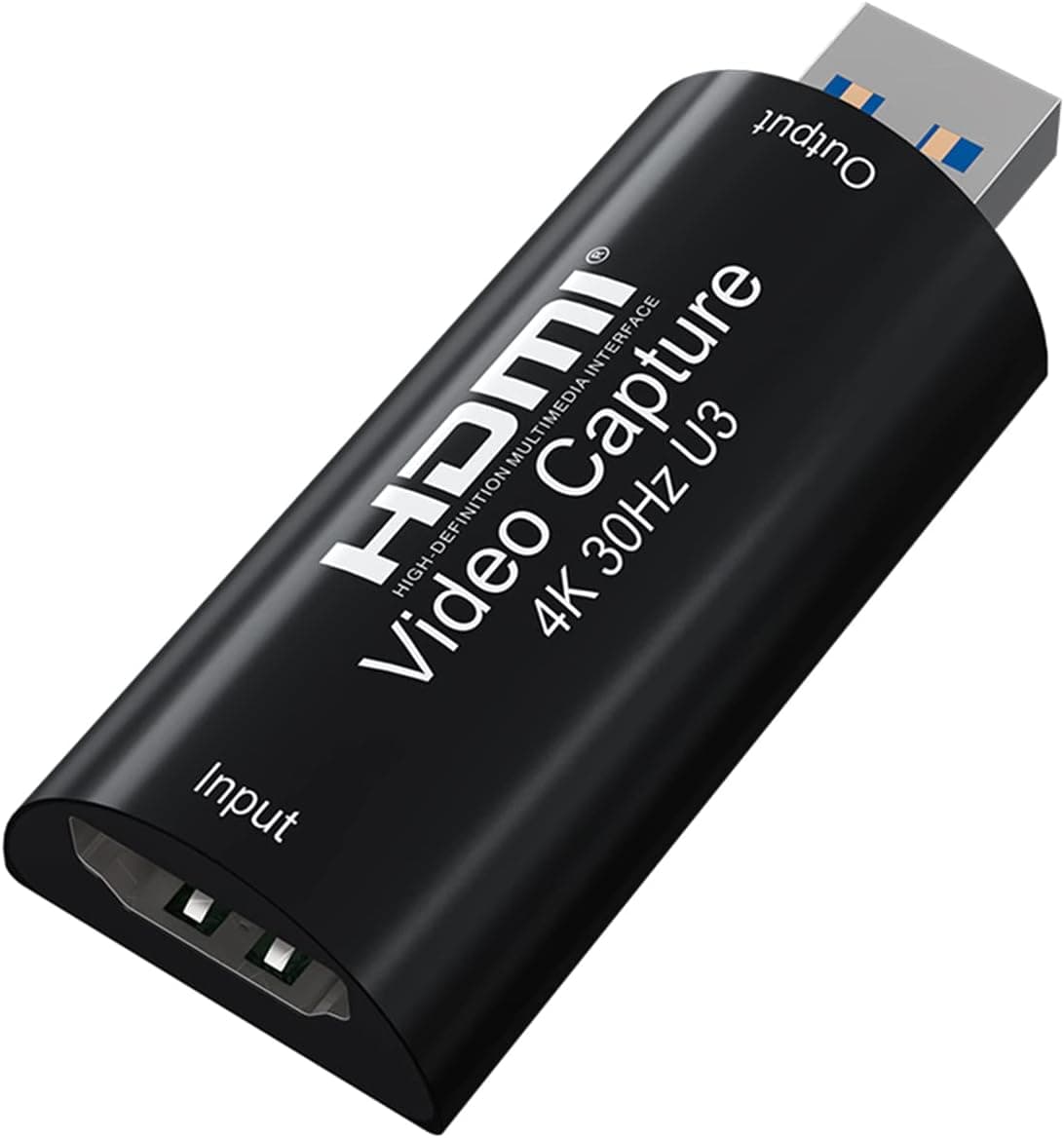
BIFALE's 4K HDMI video capture card with full 1080P 60FPS over USB 3.0 is a compact capture option for streamers.
Price range: $ (Budget)
What we liked
- + Full 1080P 60FPS capture for smooth streams and recordings
- + USB 3.0 connection supports more bandwidth than older, slower capture dongles
- + 4K input works with modern HDMI cameras and consoles
Trade-offs
- - Capture is limited to 1080P output, so native high-res recording is not possible
- - Lesser-known brand with limited long-term reliability info
Who this is for
This capture card suits a podcaster who wants to bring an external camera, a game console, or another HDMI source into recording or streaming software without a large budget for capture hardware. It works as an entry point for someone experimenting with multi-camera video podcasting or the occasional gameplay-commentary episode, where recording in true 4K is not a priority. Anyone building a serious multi-cam video podcast setup with higher production standards should treat this as a starting point rather than a long-term core piece of gear, since its output resolution and brand track record both sit below higher-end capture cards.
Resolution and output limits
The card accepts HDMI input at up to 4K resolution but downscales output to a maximum of 1080p at 60 frames per second over its USB 3.0 connection, so footage brought into recording software will not retain native 4K detail even if the source camera shoots in 4K originally. For most podcast use, where the final published video is rarely delivered in full 4K anyway, that ceiling is a reasonable tradeoff for the price. Anyone planning to shoot in native 4K for future-proofing or heavy cropping in post-production should look at a capture card that supports 4K pass-through to recording software rather than this 1080p-capped model.
Setup and compatibility
Setup is straightforward: the card connects over USB 3.0 and does not need an external power supply or additional driver installation on Windows, Mac, or Android, which keeps the barrier to entry low for someone who has never used capture hardware before. It works with common recording and streaming software such as OBS, VLC, and Amcap, and it carries synchronous audio capture at 96kHz 24-bit alongside HDCP 1.4 bypass for sources that use that copy protection on certain devices. The lack of extra drivers is a genuine convenience for a podcaster who wants to plug in and start recording without troubleshooting software conflicts first.
Build quality considerations
As a lesser-known brand rather than an established capture card maker, BIFALE does not carry the same long-term reliability track record or wide community support that bigger names in this category have built up over the years. That does not necessarily mean the unit performs worse day to day, but it does mean less independent long-term testing data exists, and support in case of a defective unit may be less consistent than with a more established brand. Buyers relying on this for live streaming income or client work should weigh that uncertainty against the lower price before committing it to mission-critical production.
Value against alternatives
At its price point, the card competes with a wave of similarly specced 4K-input, 1080p-output USB 3.0 capture devices from brands with comparable name recognition and similar feature lists. Its core specs, including 60fps output and plug-and-play setup, are in line with that pack rather than standing out from the crowd of near-identical listings. A podcaster who wants a second HDMI input for an occasional multi-camera segment, and who does not need guaranteed low-latency performance for competitive live streaming, will likely find this an acceptable low-cost option, while anyone needing rock-solid reliability for regular paid broadcasts should budget for a more established brand instead.
Frequently asked questions
Does the BIFALE capture card output true 4K video?
No, it accepts 4K HDMI input but outputs at a maximum of 1080p 60fps over USB 3.0.
Does it need an external power supply?
No, it draws power from the USB 3.0 connection and does not need a separate power adapter.
What software does the capture card work with?
It is compatible with common recording and streaming software including OBS, VLC, and Amcap on Windows, Mac, and Android.
Does the card need drivers installed?
No, it is plug-and-play and does not require additional driver software.
Prices change often, so check the current price and availability on Amazon.
Check price on AmazonPodcast Gear Hub may earn a commission from the link above.