Do Studio Monitors Need Isolation Pads on a Desk, Stands or Carpet?
Published How we research
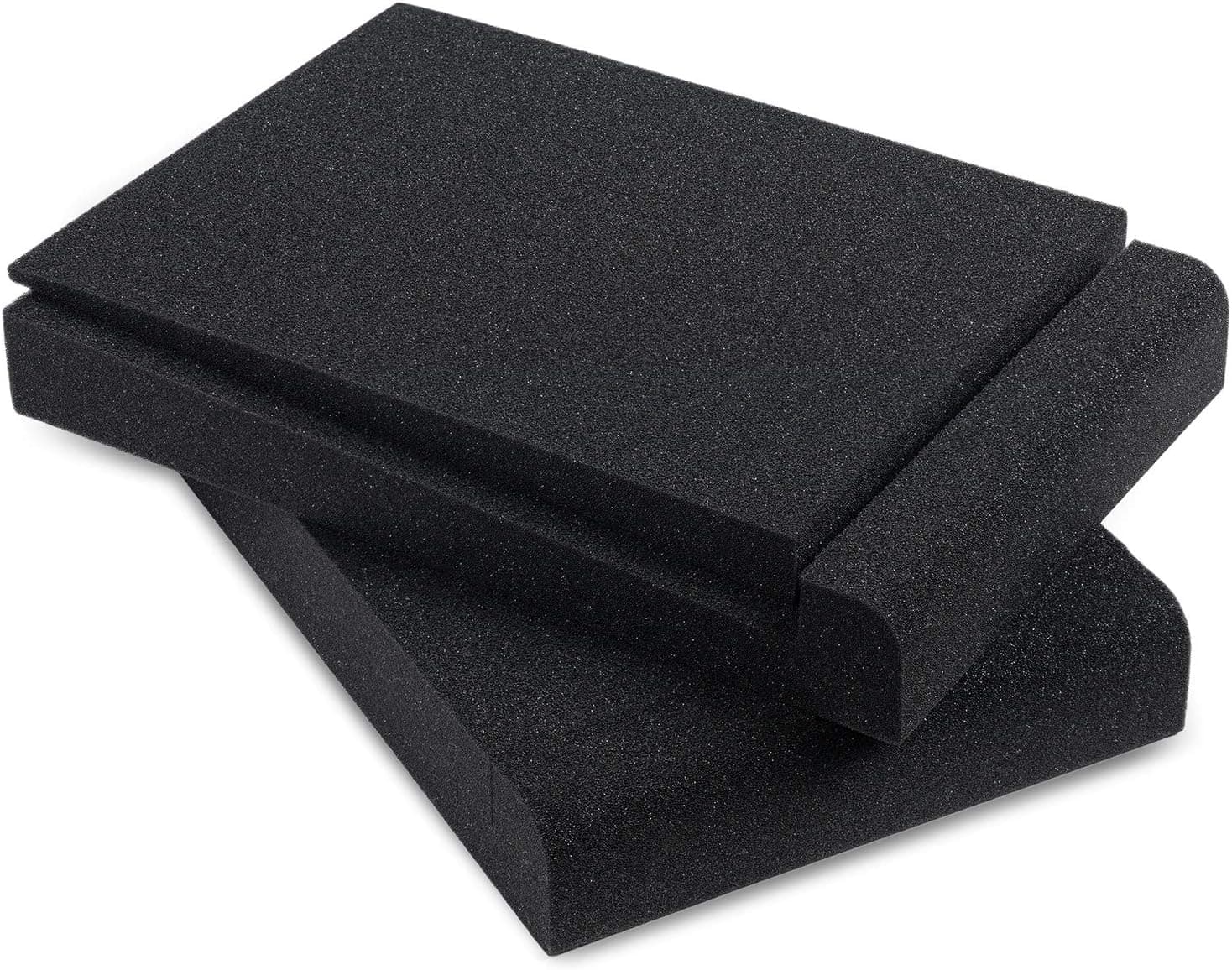
Yes in most home setups: if your studio monitors sit on a desk, a shelf or a lightweight stand, isolation pads are worth using, because they stop the cabinet from shaking the surface underneath it. Carpet does not change that answer. Carpet sits under the desk or the stand, while the vibration problem lives at the point where the speaker touches the furniture, so the pad still belongs directly under the monitor. The cases where pads add little are heavy, purpose-built stands and speakers that are already mounted on decoupled brackets. This article covers what a pad actually does, how the answer changes for desks, stands and carpeted floors, how to size a pad, and what pads cannot fix.
What an isolation pad actually does
A speaker cabinet vibrates along with its woofer. When the cabinet sits directly on a desk, some of that energy passes into the desktop, and a large flat panel of wood or particle board is very good at turning vibration back into sound. The desk becomes a second, slower, less accurate speaker. You hear it as a boomy, blurred low end and a low-mid thickness around voices that is not in the recording.
An isolation pad puts a layer of dense foam or rubber between the cabinet and the surface. The layer compresses and recovers with each movement and passes far less energy downward. The result is not more bass or less bass in the speaker itself. It is less added noise from the furniture, which makes it easier to judge how a voice track really sounds when you edit.
For podcast work this matters more than it seems. Spoken voice lives in the range where a resonating desk adds mud, and decisions such as how much low cut to apply or whether a voice sounds boxy depend on hearing that range honestly.
On a desk or shelf: the case where pads help most
Desks are the worst surface for monitors and the most common one. Hollow-core tops, thin laminate and long unsupported spans all resonate easily, and a desk also carries your keyboard, your mic arm and your elbows. If your monitors sit on a desk, pads are the cheapest worthwhile improvement you can make to the listening position.
A simple check tells you whether your desk is part of the sound. Play music with steady bass at your normal editing volume and rest your fingertips on the desktop about a foot from the speaker. If you can feel the desk buzzing, the desk is radiating sound. Lift the speaker onto a folded towel or a thick book as a temporary test. If the low end tightens up, a proper pad will do the same job permanently and more stably.
Pads on a desk also solve a second problem: height and angle. Tweeters should point at your ears, and desktop monitors usually sit well below ear level. Many pads are wedge shaped or ship with an extra wedge insert so you can tilt the speaker up a few degrees. Tilting is a compromise compared with raising the speaker, but it is far better than a tweeter firing at your chest.
On floor stands and carpet: where the pad goes
Carpet confuses the question because it feels like it should already be absorbing vibration. It does absorb some high-frequency reflections from the floor, which is useful, but it is not sitting between the speaker and the thing the speaker is shaking. If your monitors are on stands, the path is speaker, stand top plate, stand column, base, carpet, subfloor. The pad goes at the first joint, between the speaker and the top plate. Putting foam under the stand base on carpet does very little and makes the stand less stable.
On carpet, stability is the real concern. A tall stand resting on soft pile can rock, and a rocking stand moves the speaker and blurs the sound. This is why many monitor stands include floor spikes: the spikes push through the pile and rest on the firm floor underneath so the stand cannot sway. Use the spikes on carpet and the rubber feet on hard floors.
How much a pad adds on a stand depends on the stand. A heavy steel stand, or a hollow column filled with sand, barely resonates, so a thin pad is enough and mostly serves to stop the cabinet from sliding. A light stand with a thin top plate can ring, and a dense pad helps much more. If the speakers are sitting directly on a carpeted floor, pads are not the fix. Raise them to ear height first.
Choosing a pad: size, density and tilt
Match the pad to the footprint of the cabinet, not just to the woofer size on the box. Pads are usually sold by driver size, for example for 3 to 4.5 inch, 5 inch or 8 inch monitors, but cabinets with the same woofer vary in width and depth. Measure the base of your speaker and pick a pad that is the same size or slightly larger. A speaker that overhangs its pad can tip, and a rear-ported cabinet needs its full depth supported.
Density matters as much as size. Foam that is too soft collapses under a heavy monitor, the speaker ends up leaning, and the compressed foam stops isolating. Look for high-density foam and check the weight the listing states against the weight of your monitor. Small 3 to 5 inch powered monitors are light enough for almost any dense pad. Heavier 7 and 8 inch monitors need firmer foam or a rubber and steel isolation stand.
Decide on tilt before you buy. If the tweeter will sit below ear level, choose an angled pad or a set with wedge inserts so you can tilt up. If the speakers are already at ear height on stands, choose flat pads so the speaker stays level.
What isolation pads will not fix
Pads are not soundproofing. They reduce the vibration that travels through furniture into the floor, which can take a little edge off what a downstairs neighbor hears, but most of the bass still travels through the air and the walls. If noise to other rooms is the problem, lower volume and headphones do more than any pad.
Pads also do not treat the room. Boomy bass that changes as you move your head around the room comes from the room dimensions, and echo on voices comes from bare walls. Those are jobs for bass traps and absorption panels. Placement is free and comes first: set the two monitors and your head in a rough equal-sided triangle, aim the tweeters at your ears, and keep rear-ported speakers off the wall by the distance the manufacturer recommends.
Finally, pads do nothing while you record. Monitors should be muted when a microphone is live, and recording is done on closed-back headphones. Monitors, and the pads under them, earn their place at the editing and mixing stage.
Frequently asked questions
If I am on carpet, should I still put foam pads under my studio monitors? Yes, if the monitors sit on a desk, a shelf or a light stand. The carpet is under the furniture, not under the speaker, so it does not stop the cabinet from shaking the surface it rests on. Put the pad directly under each monitor and leave the stand or desk feet on the floor as they are.
Do isolation pads go under the speaker or under the stand? Under the speaker. The goal is to break the path at the first point of contact. Foam under a stand base adds wobble without adding much isolation. On carpet, use the floor spikes that come with the stand so it rests firmly on the floor beneath the pile.
Can I use a folded towel, books or yoga blocks instead? A towel or a dense foam block works as a short test and will show you whether your desk is resonating. For daily use they are less stable and they compress unevenly, so the speaker ends up leaning. Purpose-made pads are inexpensive, sized to the cabinet and hold their shape.
Are isolation pads worth it for small 3 or 4 inch monitors? Usually yes, because small monitors almost always live on a desk, which is where pads help most. The bass from a small woofer is limited, so the change is less dramatic than with 5 or 8 inch monitors, but the tilt toward your ears alone is worth having.
Products from this article
The highest-scoring picks from the buying guides mentioned above. Scores are our editorial assessment, not customer ratings.
+ Density is stated: 50kg/m3 acoustical foam designed to hold up to 16 lb without changing shape.
From our guide: Best Studio Monitor Isolation Pads
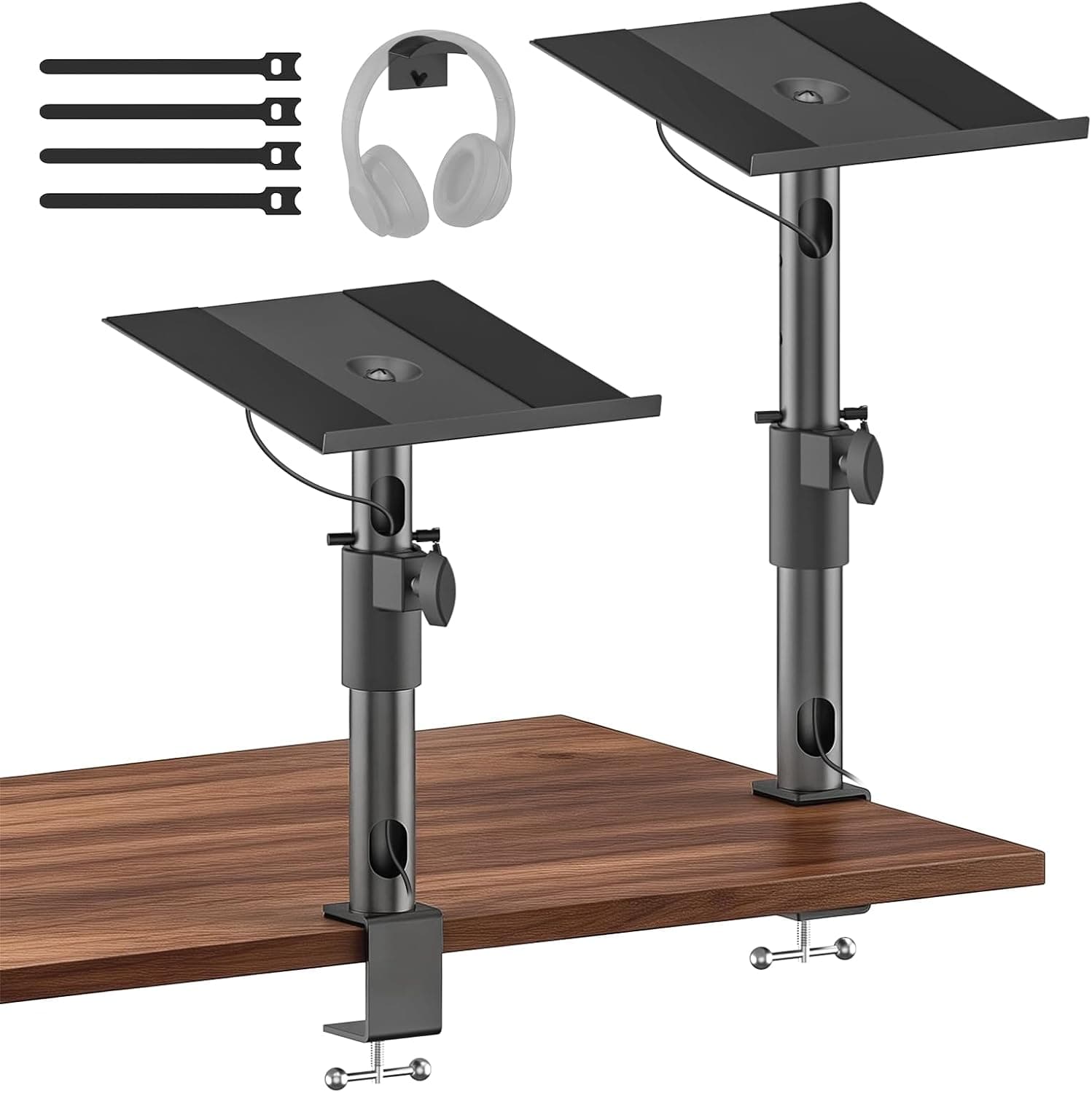
+ Height, tilt and swivel adjustments aim speakers precisely
From our guide: Best Monitor Stands
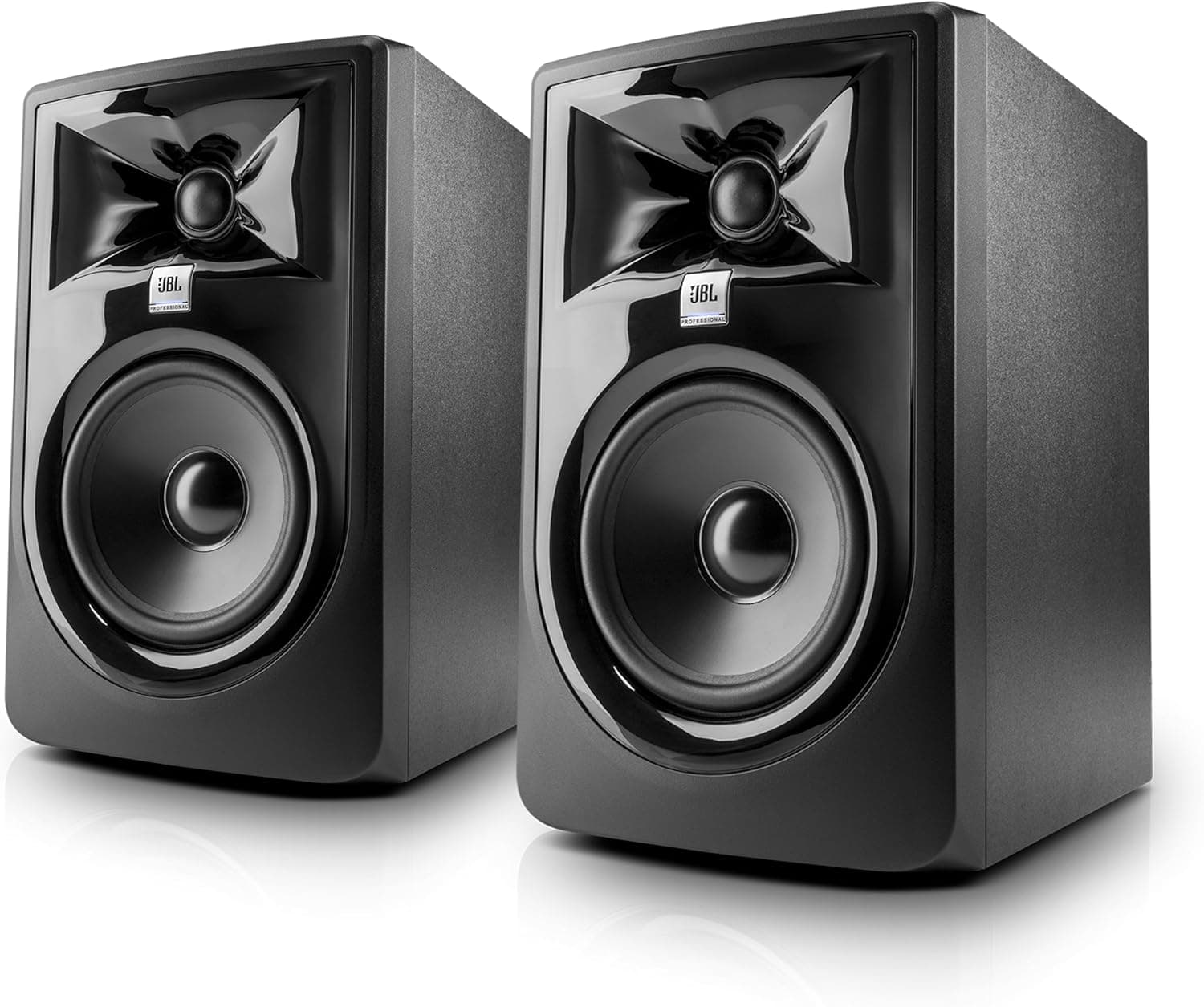
+ Wide, accurate sweet spot keeps sound consistent when you move
From our guide: Best Powered Studio Monitors
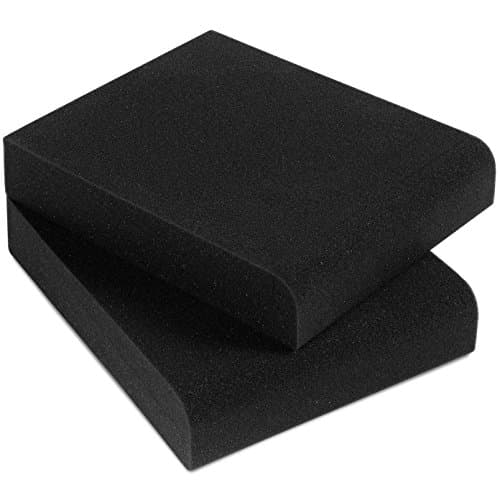
+ Sized for 5 Inch Monitors, the most common podcast desk speakers
From our guide: Best Studio Monitor Isolation Pads
Popular right now
- Best Microphone Isolation ShieldsBuying guide
- Best Digital RecordersBuying guide
- Best Studio HeadphonesBuying guide
- Best Ring LightsBuying guide
- Gain Staging BasicsArticle
- Best Acoustic DiffusersBuying guide
Based on the last 28 days of search and visitor data.